











New phone? How to move your alarm app without losing access
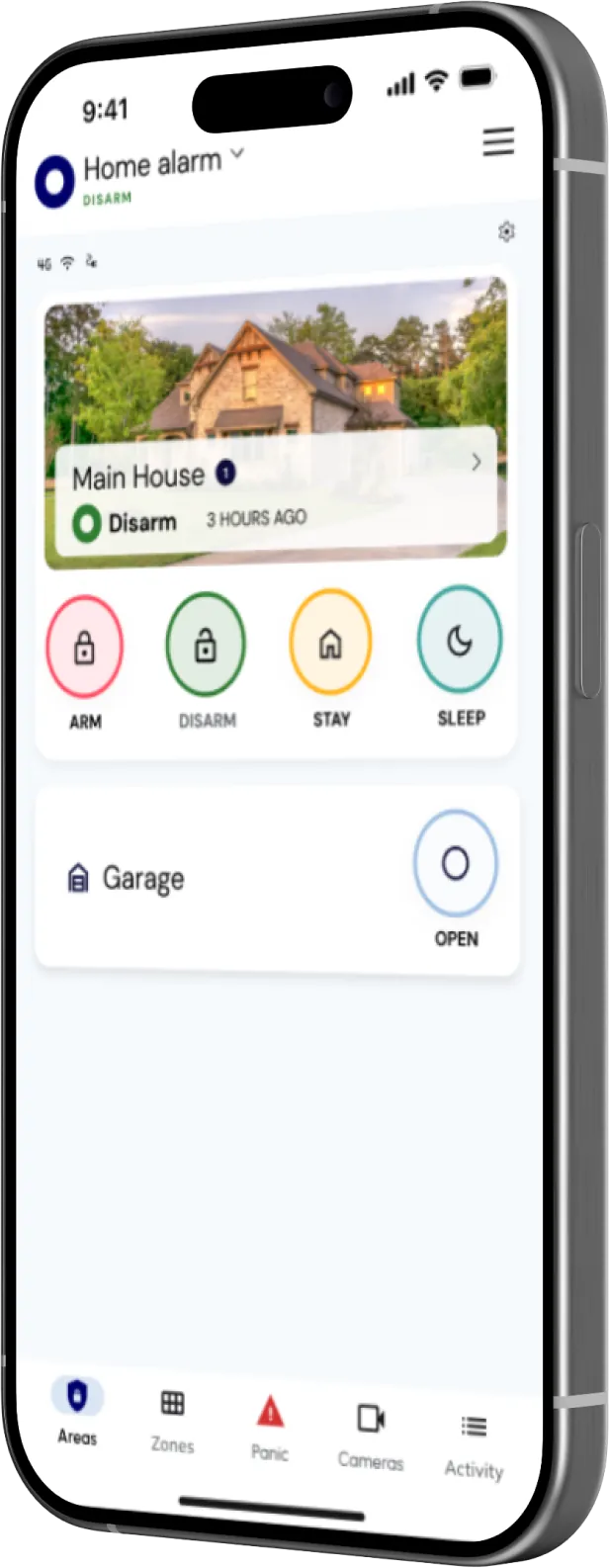
Your alarm devices are linked to your Olarm account, not to your phone. On a new phone, install the Olarm APP and log in with the same phone number or email you signed up with, and everything comes back. Most problems start when someone signs in a different way and creates a new, empty account by mistake.
Before you swap phones
- Check which login you use. In the app, open the menu and tap your name to see the phone number and email on your account.
- Changing your number too? Update it in your profile while you still have the old phone, so verification codes go to the new number.
- Note your devices. Write down the names of your alarms in case you need help later.
On your new phone
- Install the Olarm APP from the App Store, Google Play or Huawei AppGallery.
- Log in with the same phone number or email as before.
- Enter the verification code sent to you.
- Your devices appear, with the same settings, users and history.
Your alarm codes, zone names and users are stored with the device, so there's nothing to set up again.
Don't see your devices?
The most common cause is tapping Login with Google or Login with Apple when your account was created with a phone number or email. That creates a new account with no devices. Log out and log in the original way. If you'd like to use Google or Apple sign-in in future, open the menu, tap View Profile, and link it to your existing account.
If you've forgotten which details you used, tap Forgot your password on the login screen and try each phone number and email you might have used.
Get notifications working again
A new phone starts with fresh settings, and many phones block app notifications to save battery.
- Allow notifications when the app asks.
- On Android, remove the Olarm APP from battery optimisation.
- Turn off Do Not Disturb or Focus, or allow the app through it.
Our guide to alarm notifications that don't arrive covers each setting.
Lost or stolen phone?
- Log in on another phone or the web as soon as you can, and change your password.
- If you're the Primary User, check the user list and remove anyone who shouldn't be there.
- Get your SIM replaced with your network so verification codes reach you.
- If you can't get in, contact Olarm support.
Frequently asked questions
Do I need to re-add my alarm on a new phone?
No. Log in with the same account and your devices appear. Only add a device again if it was reset.
Can I use the app on two phones?
Yes. Log in with the same account on both. Better still, give family members their own accounts and add them as users, so each person gets their own notifications and history.
I changed my phone number. Will I lose my alarm?
No. Update your number in your profile, or log in with your email instead. Your devices stay linked to your account.
Need the app? Download the Olarm APP.
Recent news

How to control your Honeywell Galaxy alarm from your phone
Linking your cameras to your alarm: what you need