














What Is Olarm Command Centre? A Guide for Monitoring & Response Companies
The Problem: Managing Hundreds of Alarm Sites Shouldn't Be This Hard
If you run an armed response company or alarm receiving centre, you already know the pain. Devices across hundreds or thousands of customer sites, each needing firmware updates, configuration changes, and signal management. Installers calling in for programming access. Clients switching providers and needing clean handoffs. Control room operators drowning in AC fail signals during power outages.
Most of this work still happens manually — site visits for programming changes, phone calls to coordinate between installers and monitoring teams, and spreadsheets to track which devices belong to which clients.
Olarm Command Centre exists to fix that. It's a cloud-based platform that gives monitoring and response businesses a single place to manage their entire Olarm device fleet, receive alarm signals, and coordinate with partner businesses — at no extra cost beyond the standard Olarm partnership.
What Does It Actually Save You?
Fewer Site Visits, Lower Operational Costs
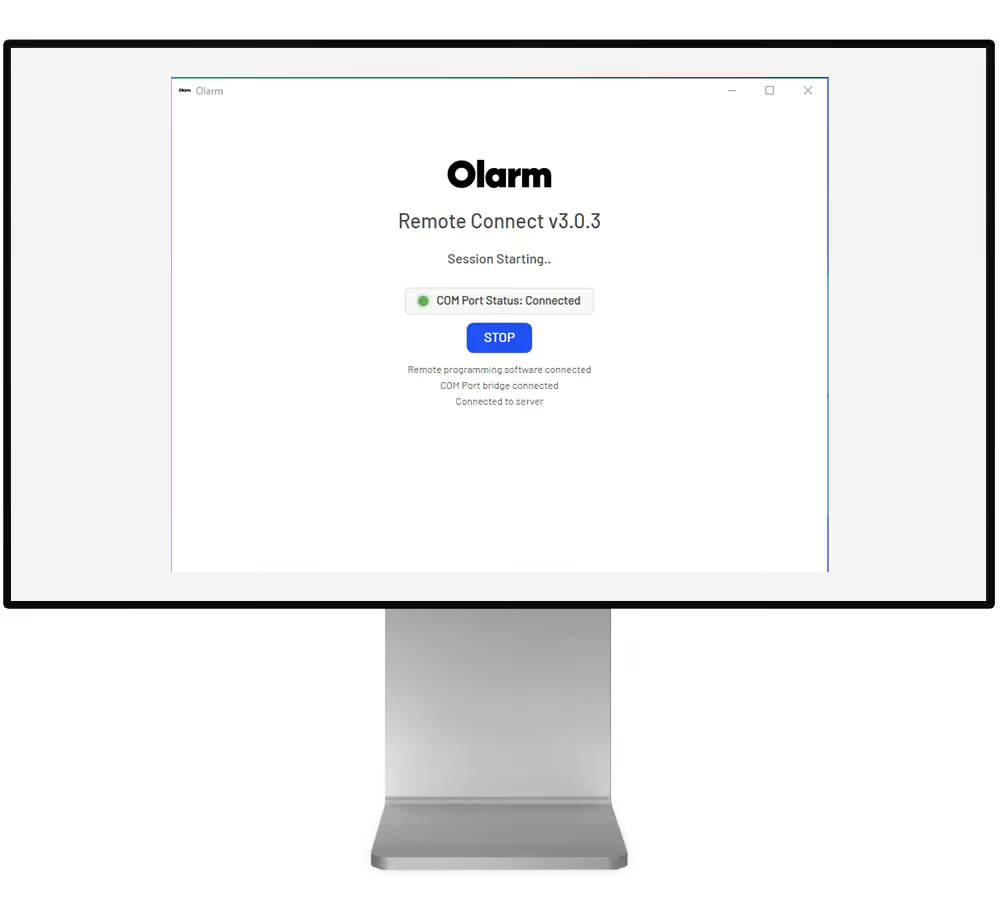
Every unnecessary truck roll costs money — fuel, technician time, and the opportunity cost of that technician not being on another job. Command Centre's Remote Connect feature lets your team program alarm panels from the office using the same UDL software they already know (BabyWare, Wintex, IDSwift, Galaxy Gold). A secure connection is generated in seconds, and the technician works as if they were sitting in front of the panel.
For a response company running 20 callouts a week for programming changes alone, even cutting half of those to remote sessions translates directly to the bottom line.
Faster Client Onboarding
When a new client signs up or you take over a site from another provider, the onboarding process in Command Centre takes minutes. Claim the device by serial number, set the account code so signals route to your monitoring software, assign partner roles, and the site is live. Bulk claiming lets you onboard multiple devices in one go — useful when taking on a portfolio of sites from another company.
Settings migration means you can swap out old hardware for new devices and carry across the entire configuration automatically — no re-programming from scratch.
Signal Reliability Without Network Headaches
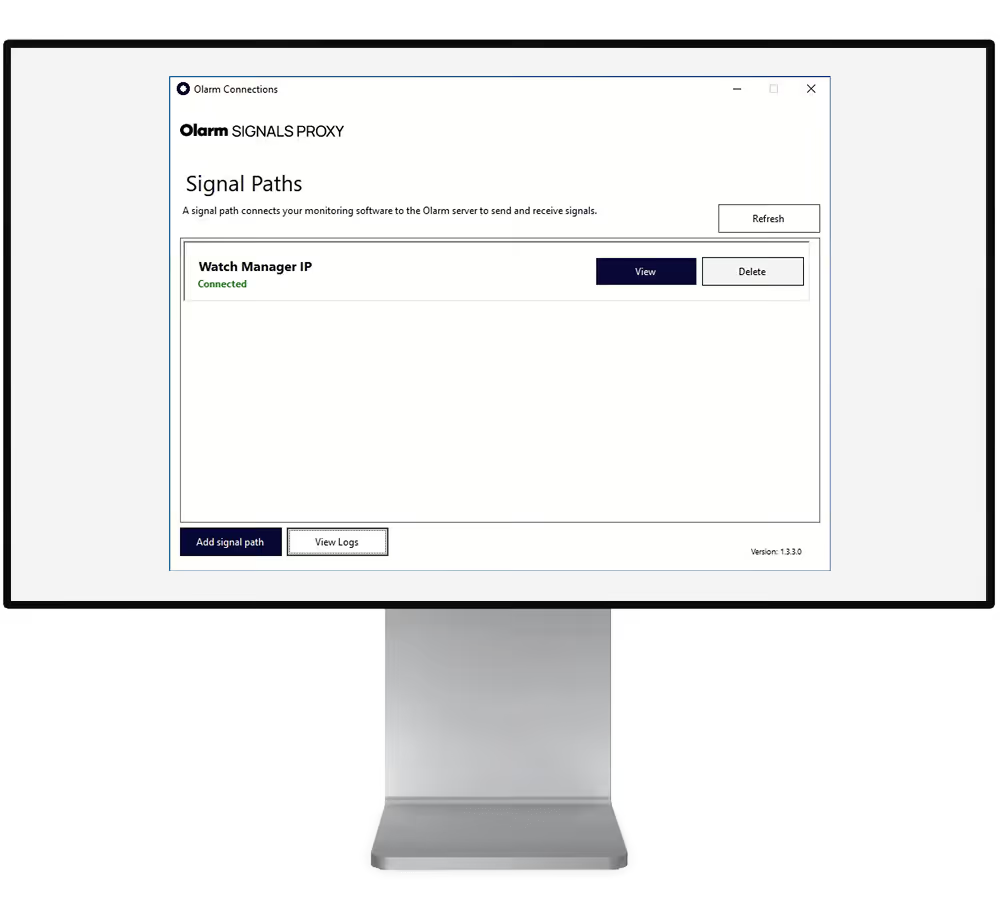
Alarm signal delivery is the core of any monitoring business. If signals don't arrive, nothing else matters. Olarm's SIGNALS PROXY delivers alarm events from the Olarm Cloud directly into your existing monitoring software using SIA DC-09 or Contact ID protocols.
What makes this different from legacy signal routing: there are no firewall rules to configure, no static IPs to maintain, and no port forwarding to troubleshoot. The proxy handles all of that with encrypted outbound connections. If one of Olarm's multiple data centres has an issue, signals automatically failover to another — with no manual intervention and no missed events.
For your control room, this means fewer false "device offline" alerts caused by network misconfiguration, and more confidence that when a real alarm comes through, it arrives.
Managing Your Fleet From One Dashboard
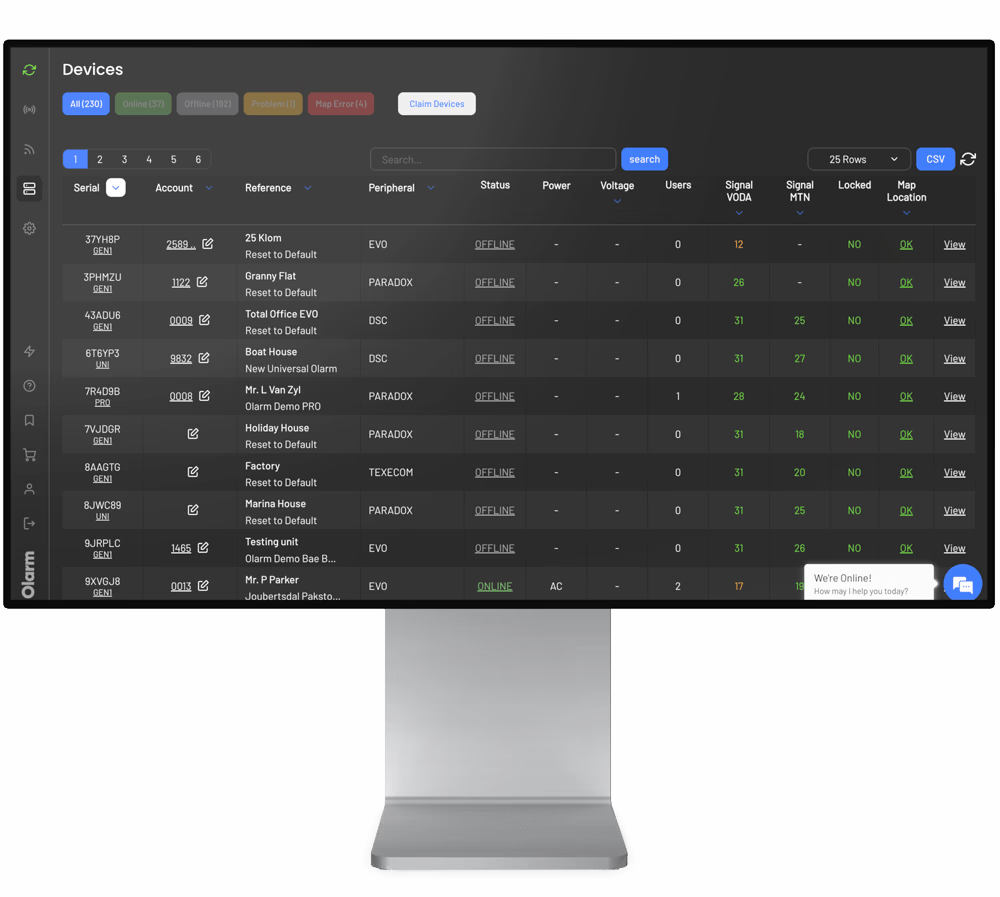
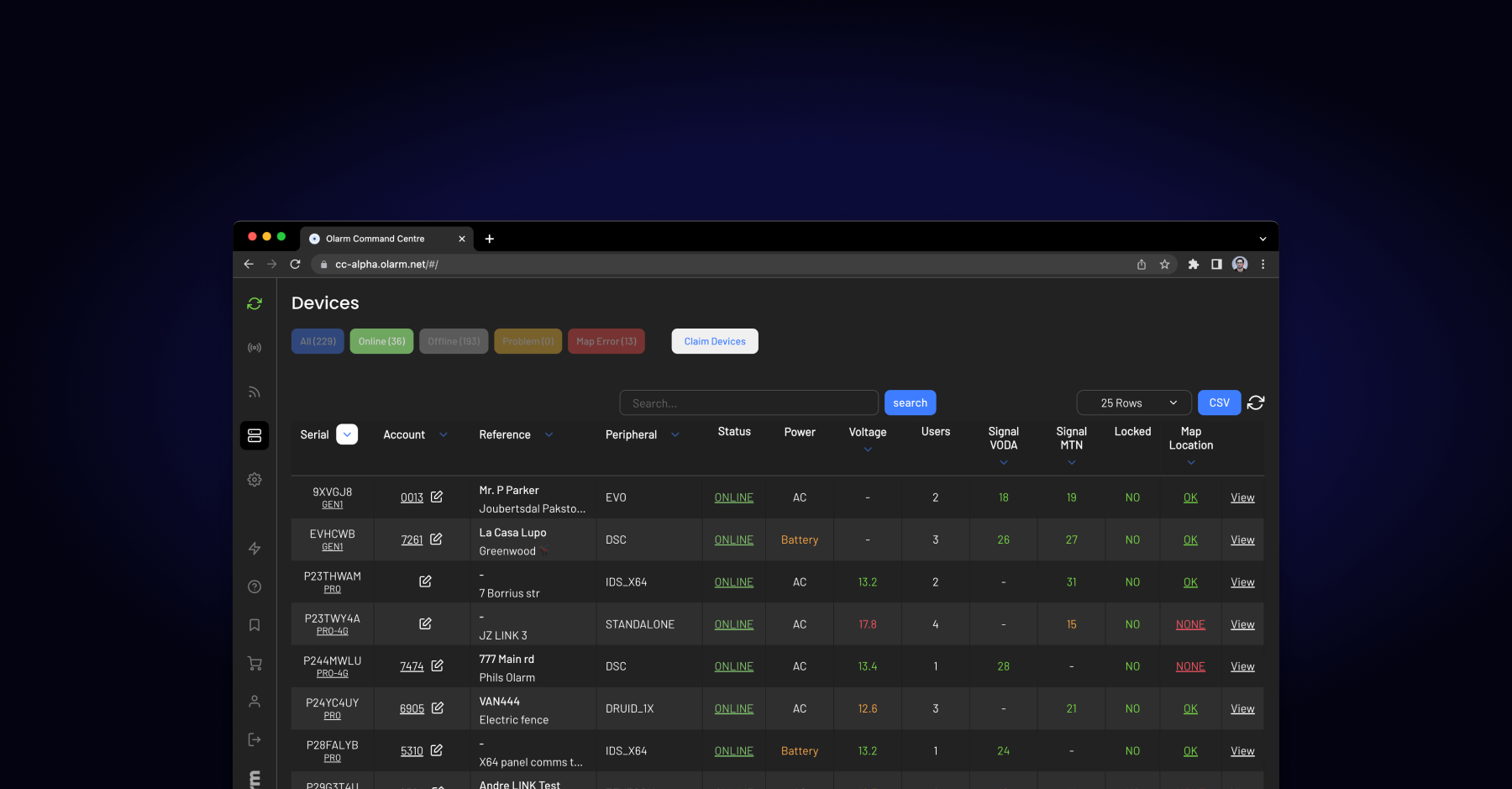
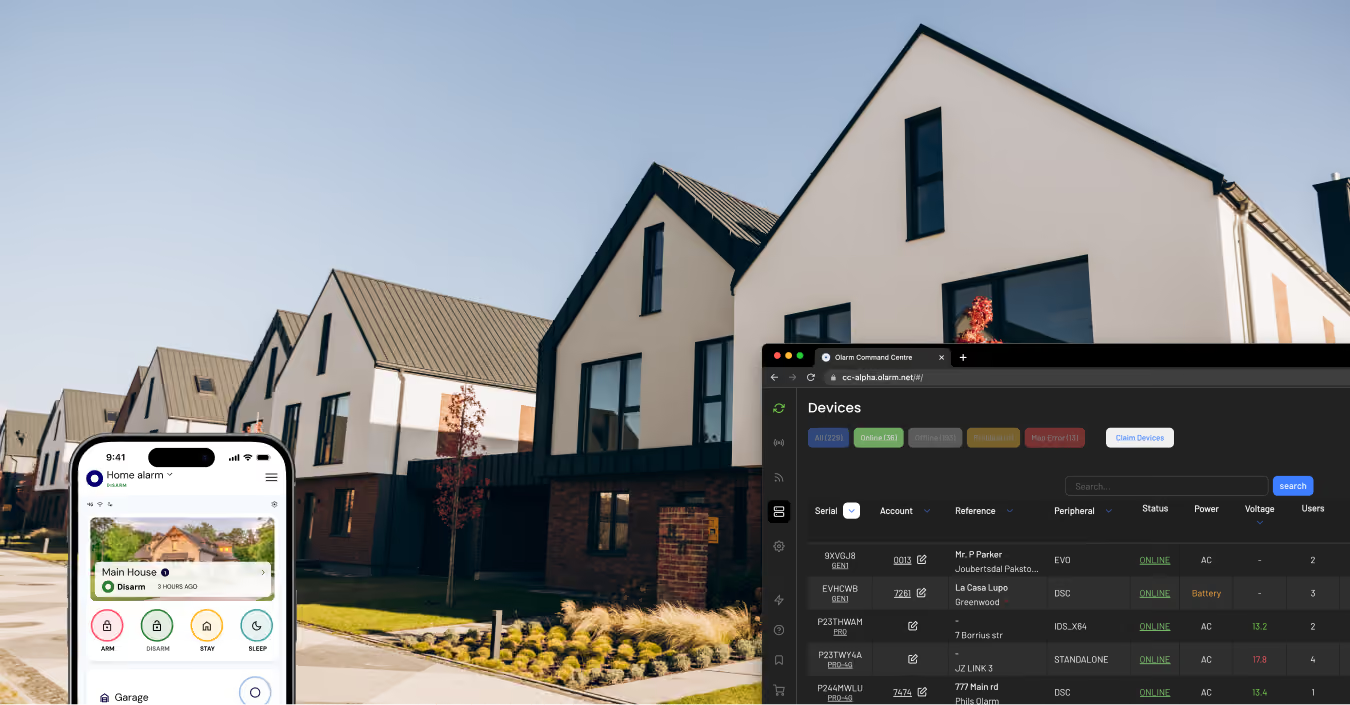
The Devices page gives you a real-time view of every Olarm communicator your company manages. At a glance, you can see which devices are online, which are running on battery power, which have weak SIM signal, and which are still on 2G networks ahead of network shutdowns.
This isn't just a status board — it's an operational tool. You can update firmware across your fleet remotely, download event logs for auditing or incident investigation, lock or unlock end-user app access when accounts are suspended, plot device locations on a map for territory management, and filter by connection type to plan hardware upgrades.
For armed response companies, the territory mapping and monitoring dashboard adds a layer of geographic awareness — you can see exactly which devices fall inside your response zones and manage handoffs between areas.
Working With Installers and Other Partners
In most security setups, the company that installs the hardware isn't the same company that monitors the signals. Command Centre's Partner Affiliations feature handles this cleanly. Each Olarm Partner has a unique code. By exchanging codes and accepting affiliation requests, an installer and a monitoring company can share responsibilities on the same device — the installer manages hardware, the ARC receives signals, and billing goes to whichever party handles the subscription.
This eliminates the back-and-forth of manually coordinating device access between businesses. Role assignments are logged, require mutual acceptance, and can be managed entirely within the platform.
End-User Management Without the Admin Burden
Your clients expect to control their alarm system from the Olarm APP. From Command Centre, you can manage who has app access to each device — adding or removing users, handling the inevitable "my tenant moved out" or "I've sold the property" requests, and temporarily locking app access during account transitions without interrupting signal delivery to your control room.
Security That Stands Up to Scrutiny
For ARCs operating under regulatory or insurance requirements, Command Centre provides end-to-end encrypted connections, code-based authentication, full session logging, and complete audit trails for every administrative action. Signal delivery history is logged and searchable, giving you the traceability needed for compliance reporting and incident investigation.
What It Costs
Command Centre is included with every Olarm partnership at no additional subscription fee. There's no per-seat charge, no premium tier to unlock features, and no separate licensing for SIGNALS PROXY or Remote Connect. The platform is part of the Olarm ecosystem.
Getting Started
Register as an Olarm Partner through the Become a Partner page. Once approved, you'll receive access to Command Centre and can start claiming devices and setting up your signal connections immediately. The Olarm Academy offers dedicated courses on platform navigation, device management, and monitoring setup to get your team up to speed.
Recent news
What Is Olarm Command Centre? A Guide for Monitoring & Response Companies
Smart Security for Estates, Complexes & Gated Communities in South Africa