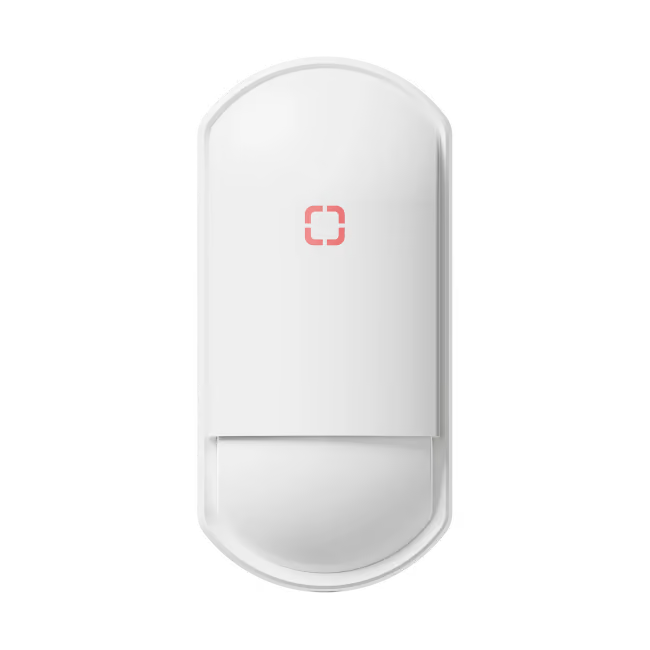
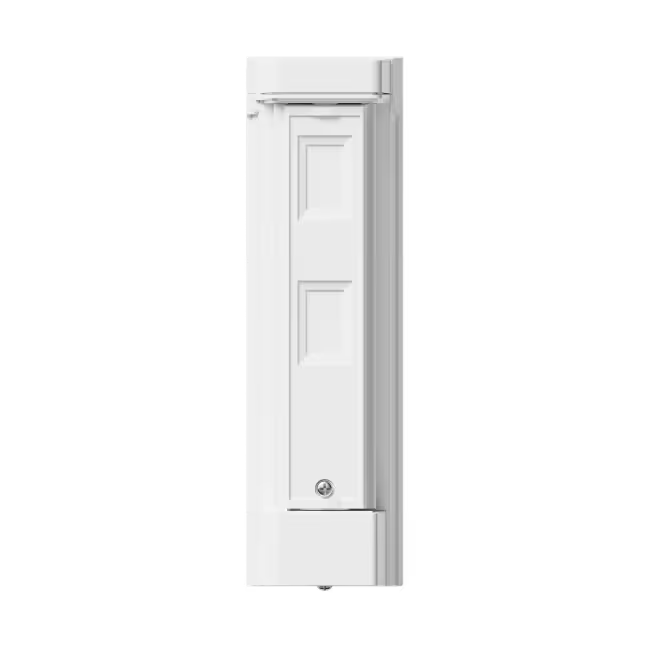
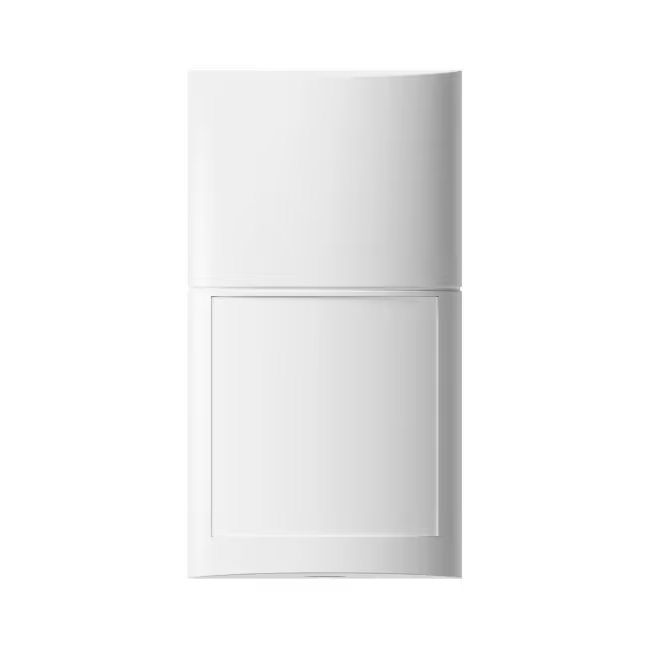
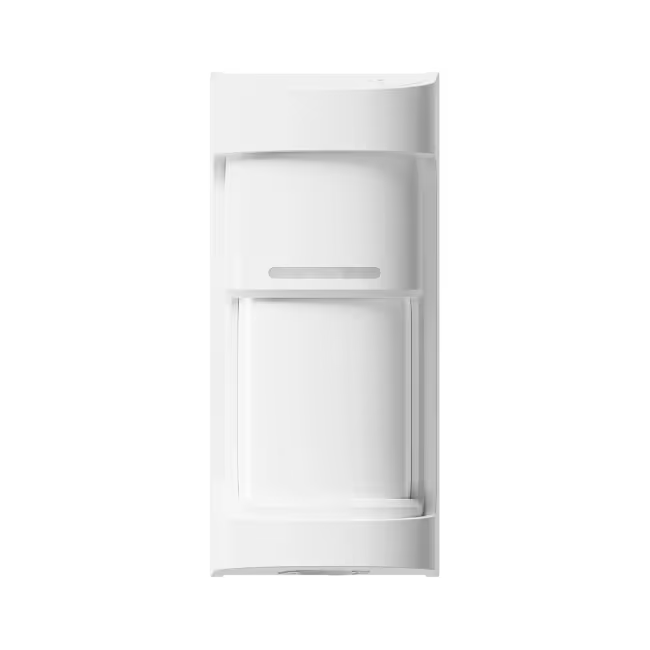
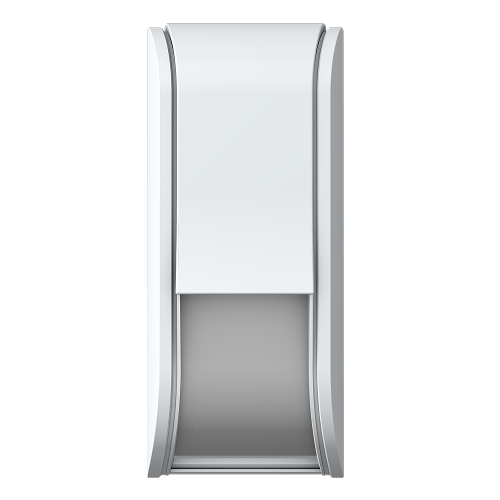
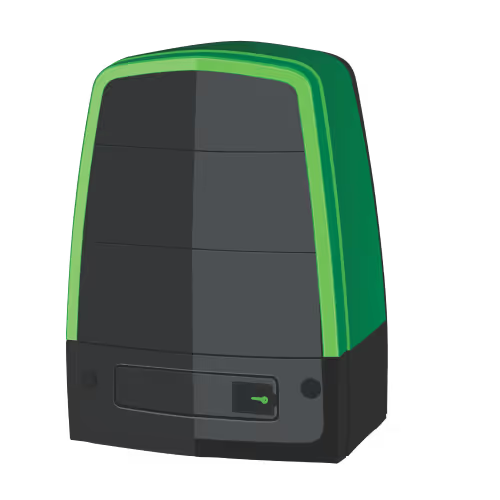
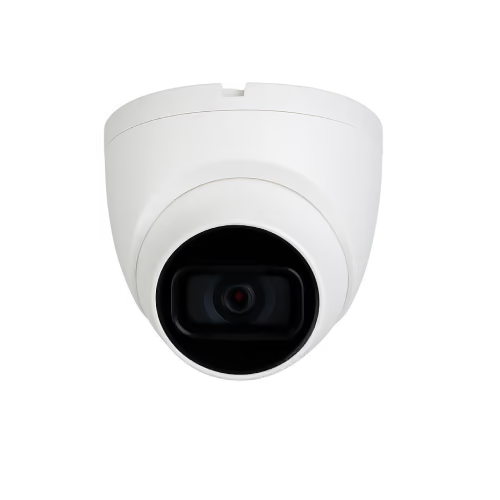
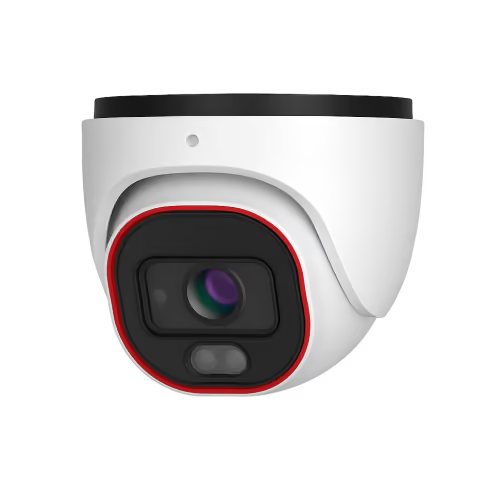


Olarm FitX

Powered by the Optex FTN-R

View Datasheet
View Optex Guide

Step 1

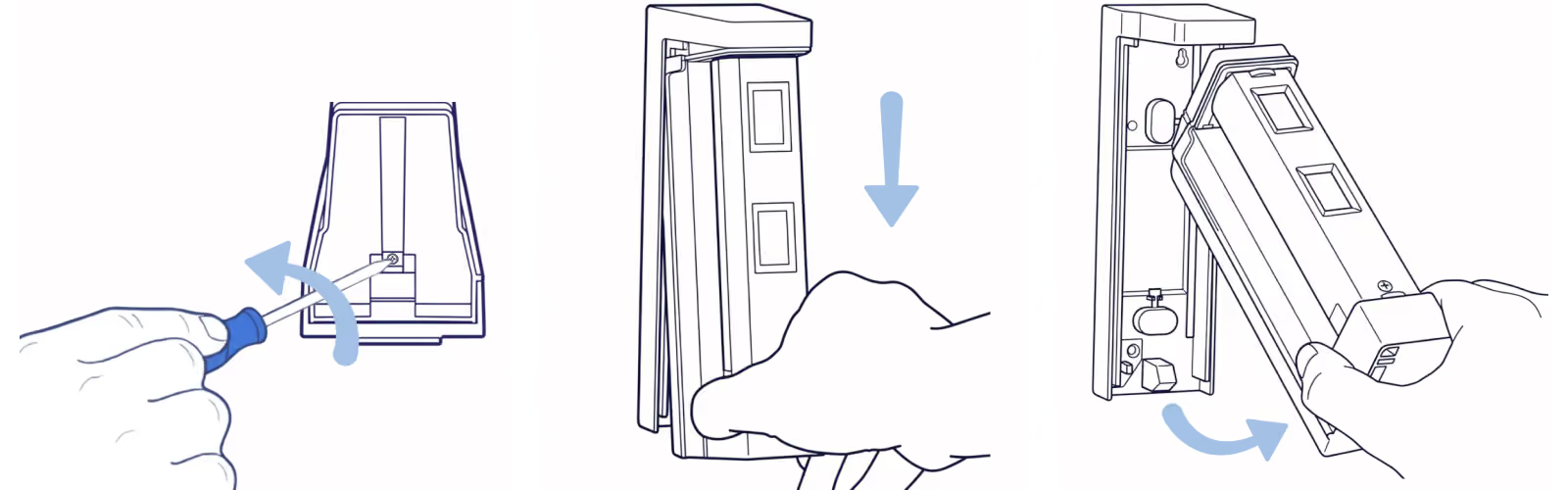
Remove the detection unit

Remove the locking screw using a flathead screwdriver, then slide out the main detection unit.
Step 2

Add your device & configure zone

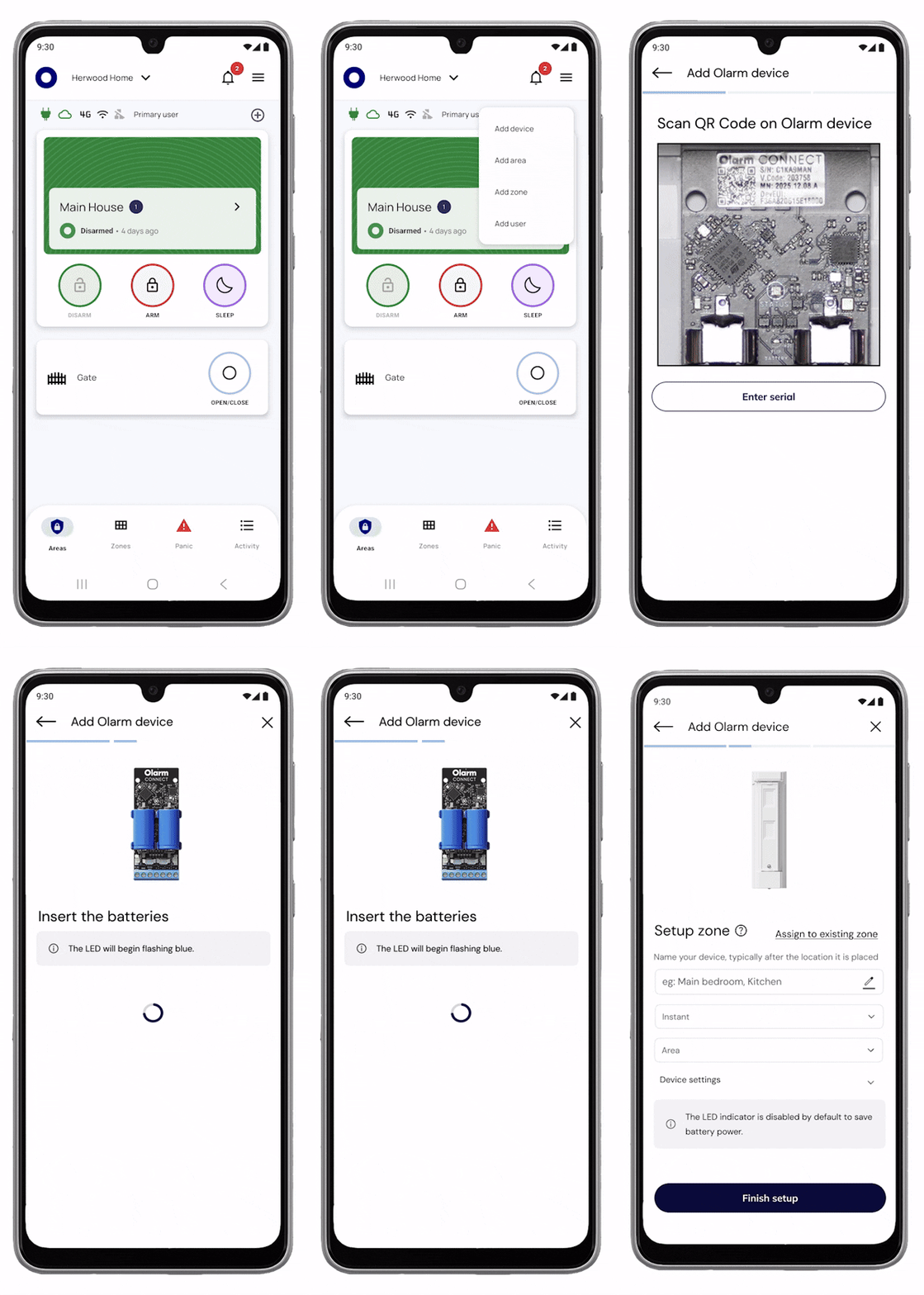
Scan the QR code on your Olarm CONNECT to add the device. Once added, configure the zone and detector settings in the app.
Step 3

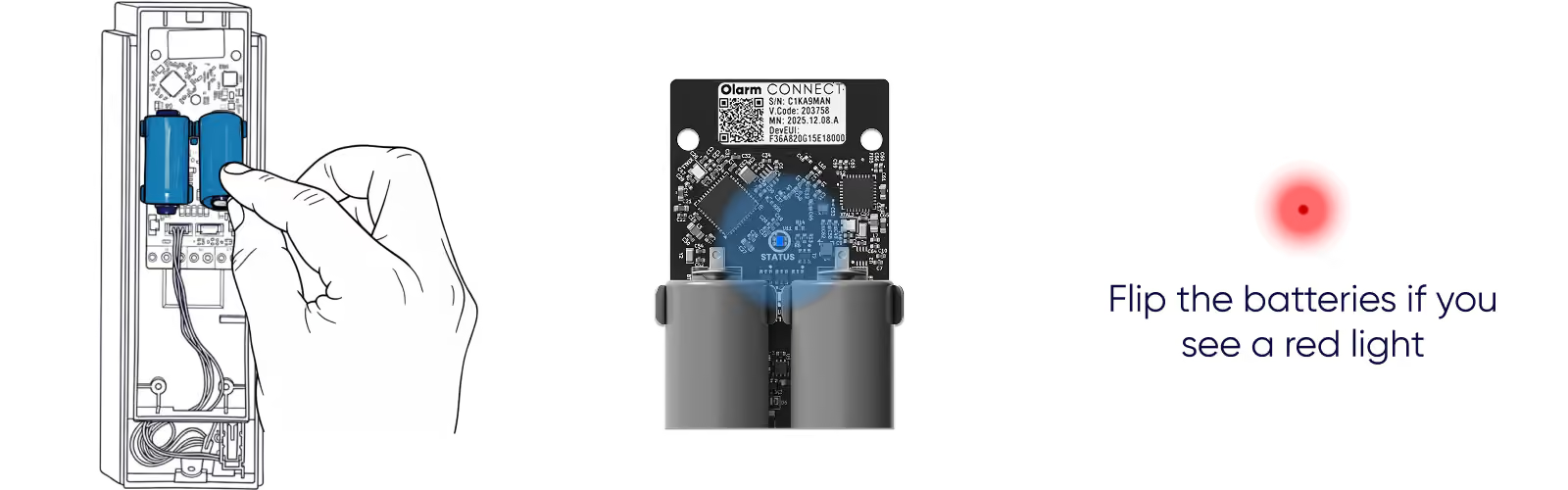
Insert the batteries

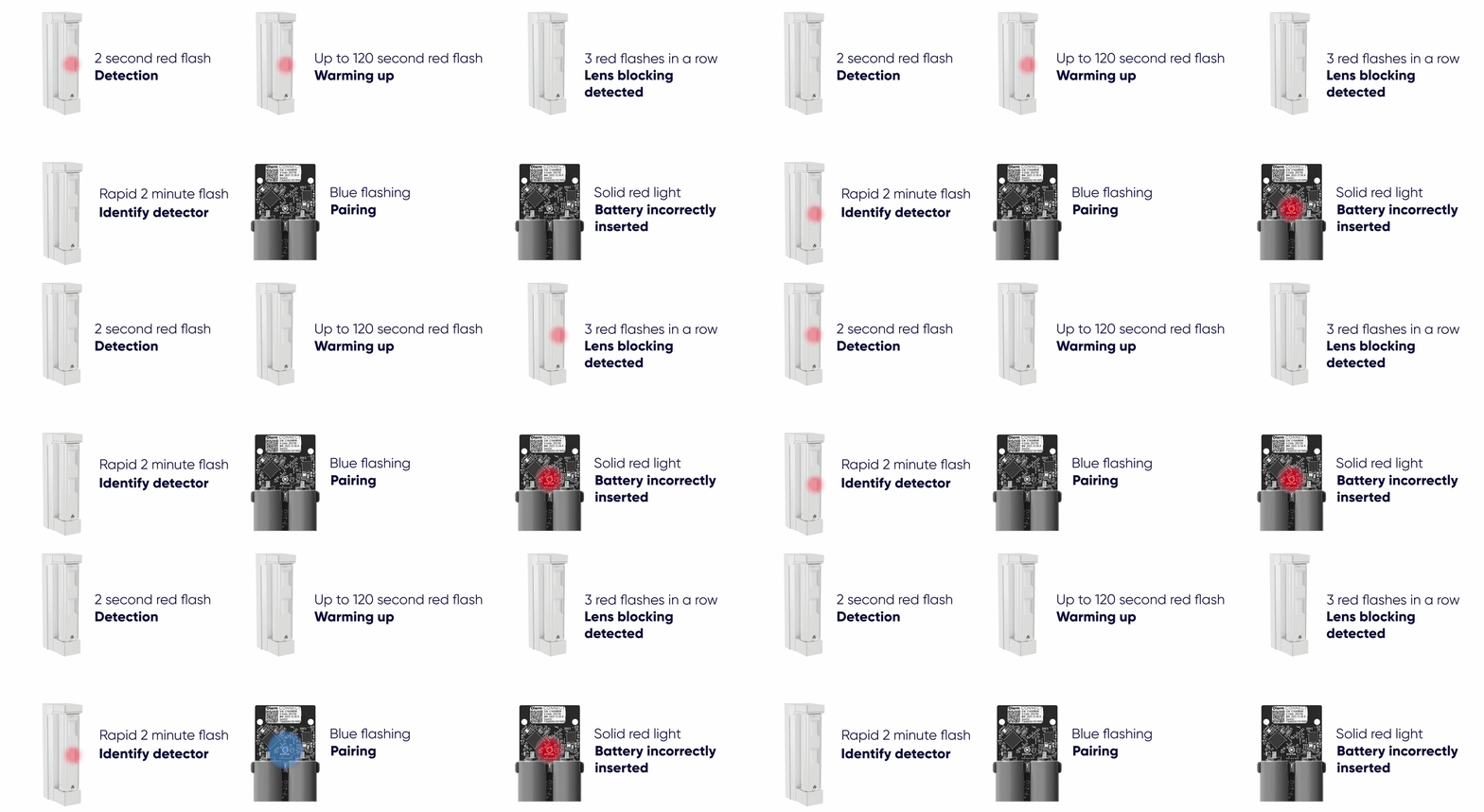
Insert the batteries into the Olarm CONNECT correctly (- at top, + at bottom). The status LED will flash blue when powered on. If you see a red light, flip the batteries.
Step 4

Choose your angle & position

The FitX can be installed forward-facing or in a corner. See the orientation options below for your setup.
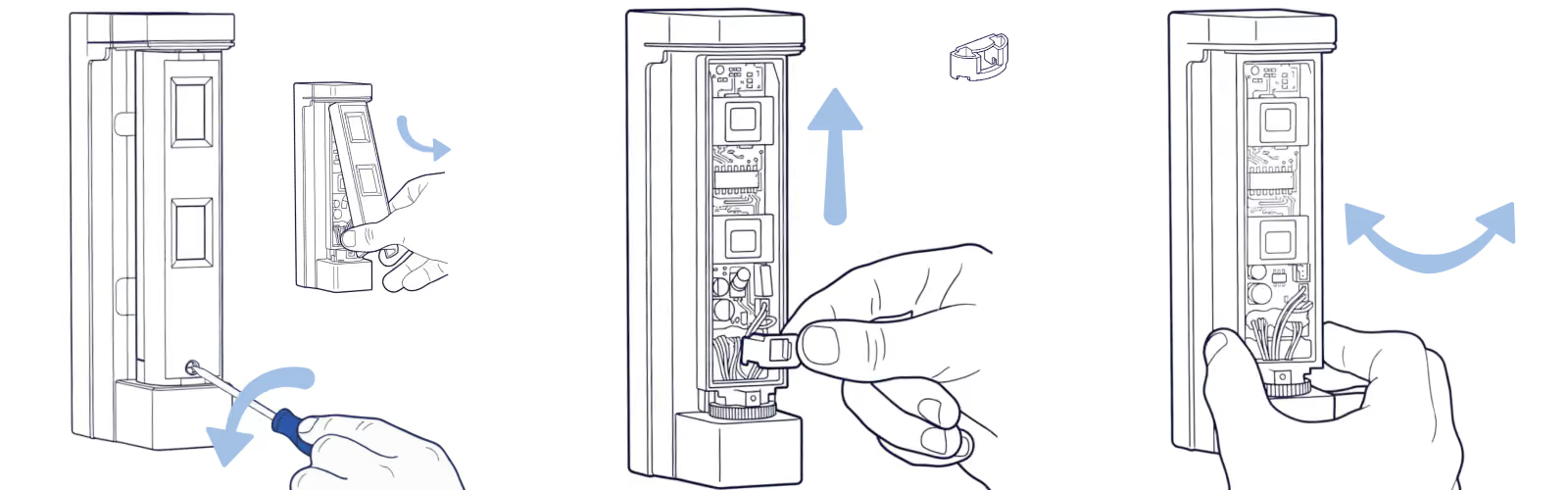
Remove the lens and fixture

Unscrew and remove the front lens, then lift out the locking fixture to allow the detection unit to swivel for repositioning. Handle these parts with care.
Step 4.1

Installing: Forward-facing

Mount the backbox flat against the wall with the sensor facing directly outward for standard room coverage.

Step 4.1.1

Align the locking fixture

Position the locking fixture with the left or right alignment marker based on your wall position. Ensure the fixture is inserted correctly.

Step 4.1.2

Adjust the detection range

Flip the bottom lens to adjust the detection distance to suit your environment.

Step 4.2

Installing: 90° Corner mount

Mount the backbox in a corner at a 90° angle for wider room coverage from a corner position.

Step 4.2.1

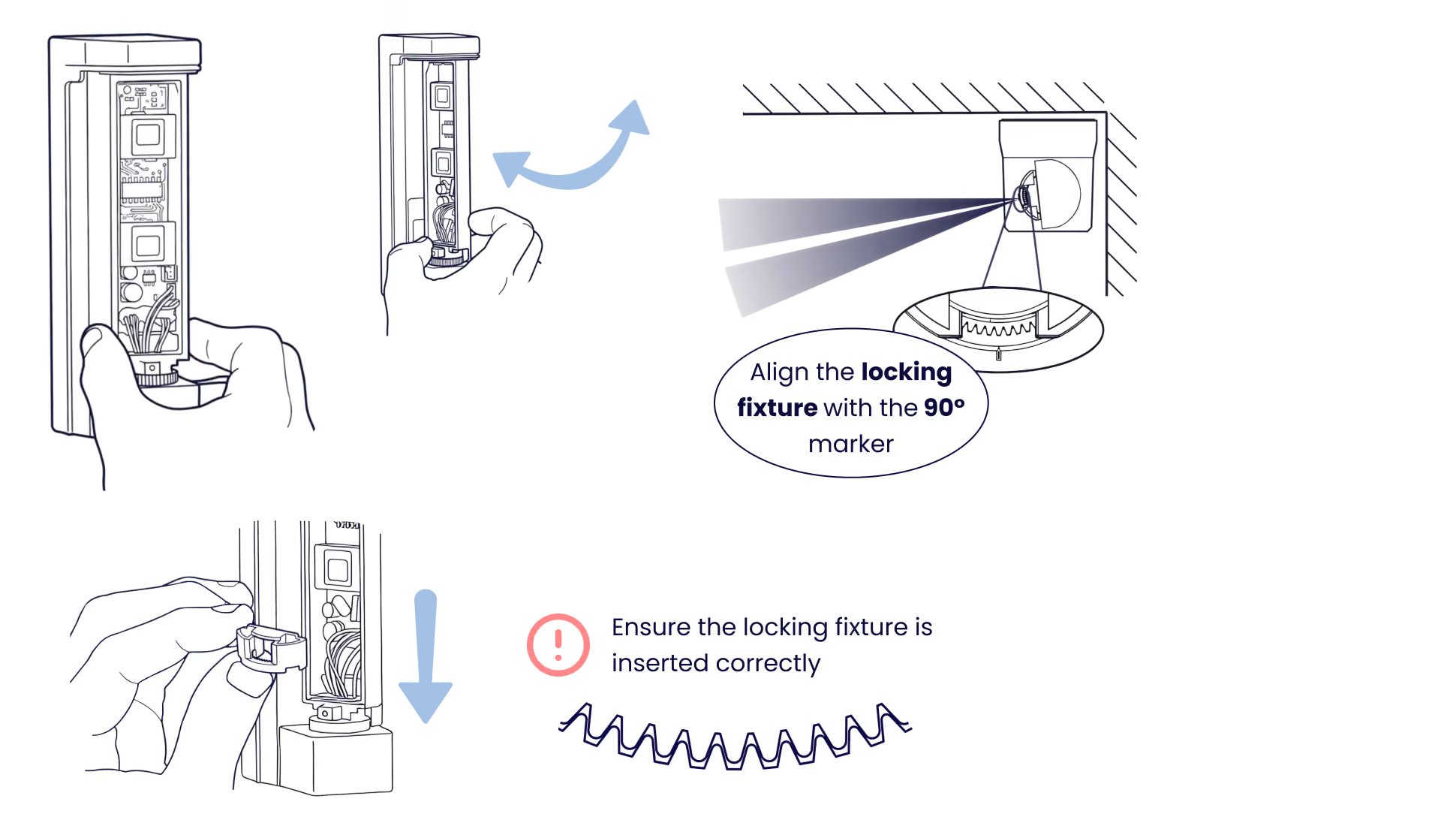
Swivel to corner position

Rotate the detection unit to align with the 90° marker, then insert the locking fixture. Ensure the fixture is inserted correctly.
Step 4.2.2

Adjust the detection range

Flip the bottom lens to adjust the detection distance to suit your environment.

Step 5

Secure the backbox

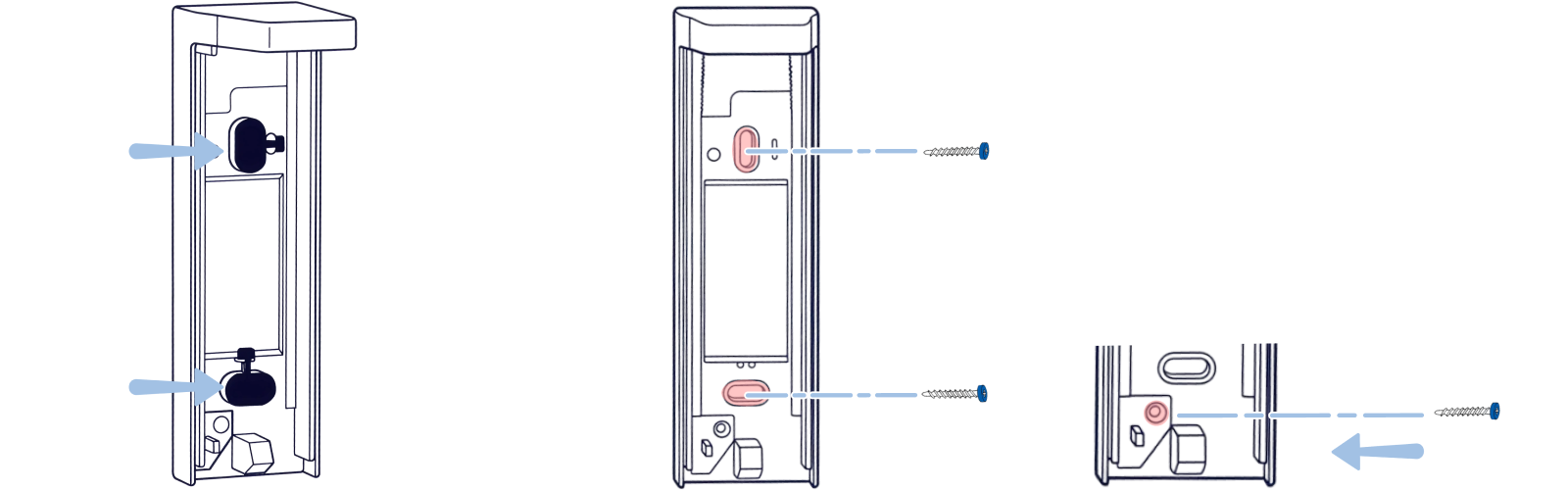
Remove the rubber grommets, then secure the backbox to the wall using suitable screws. For extra protection, secure the tamper breakout.
Step 6

Reattach the detection unit

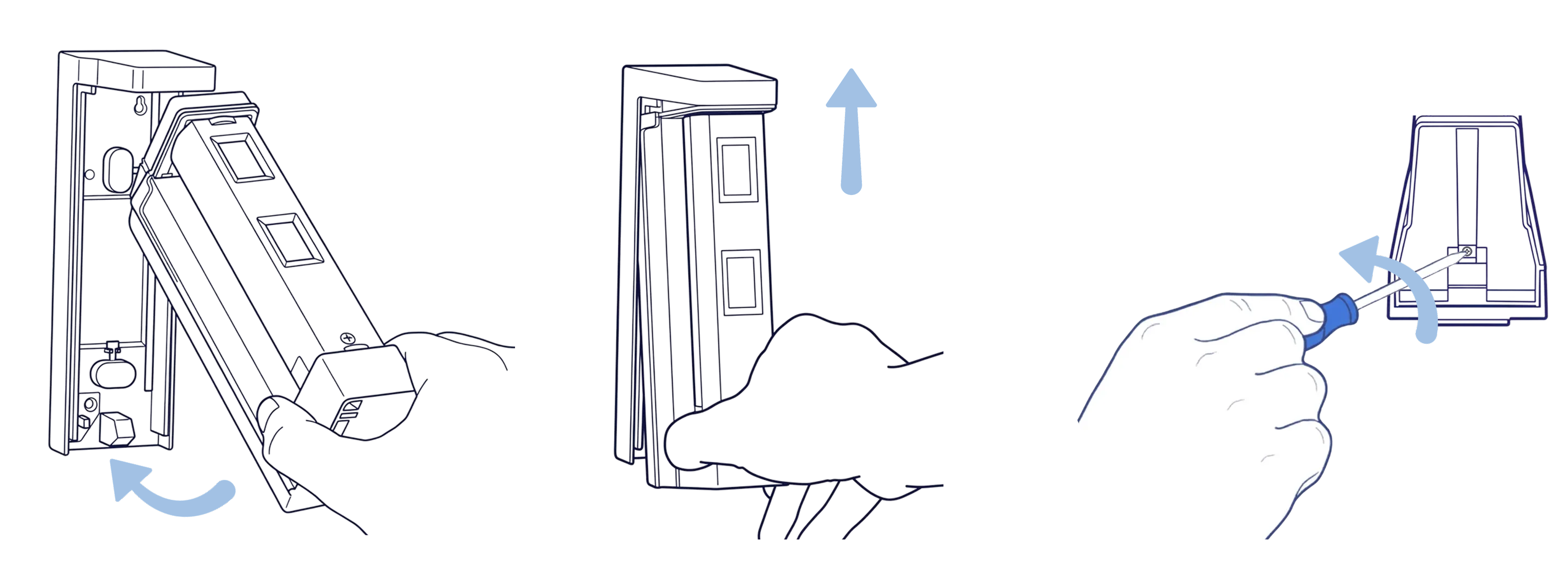
Place the detection unit back into the mounted backbox at an angle, push it upward until it clicks into place, then secure with the locking screw.
Step 7

Close and secure

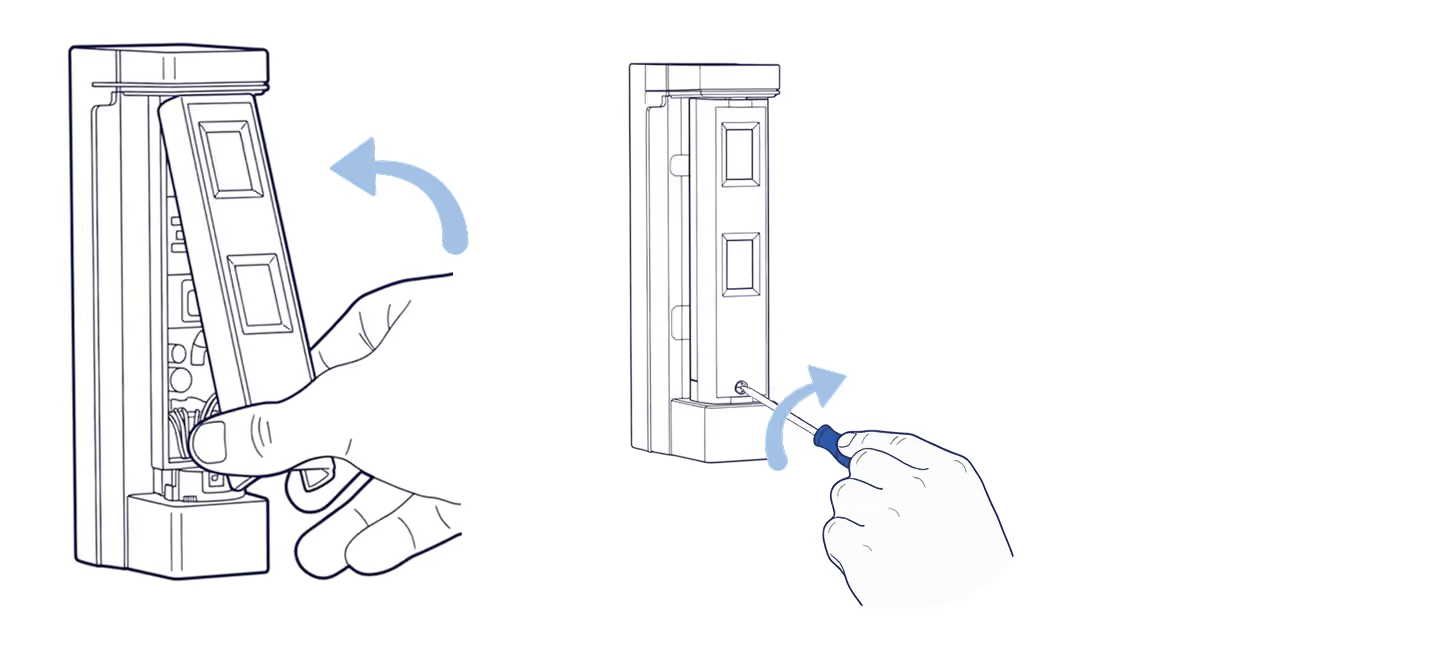
Close the front lid and insert the locking screw to secure the unit.
Tips

Tips to avoid choosing the wrong location

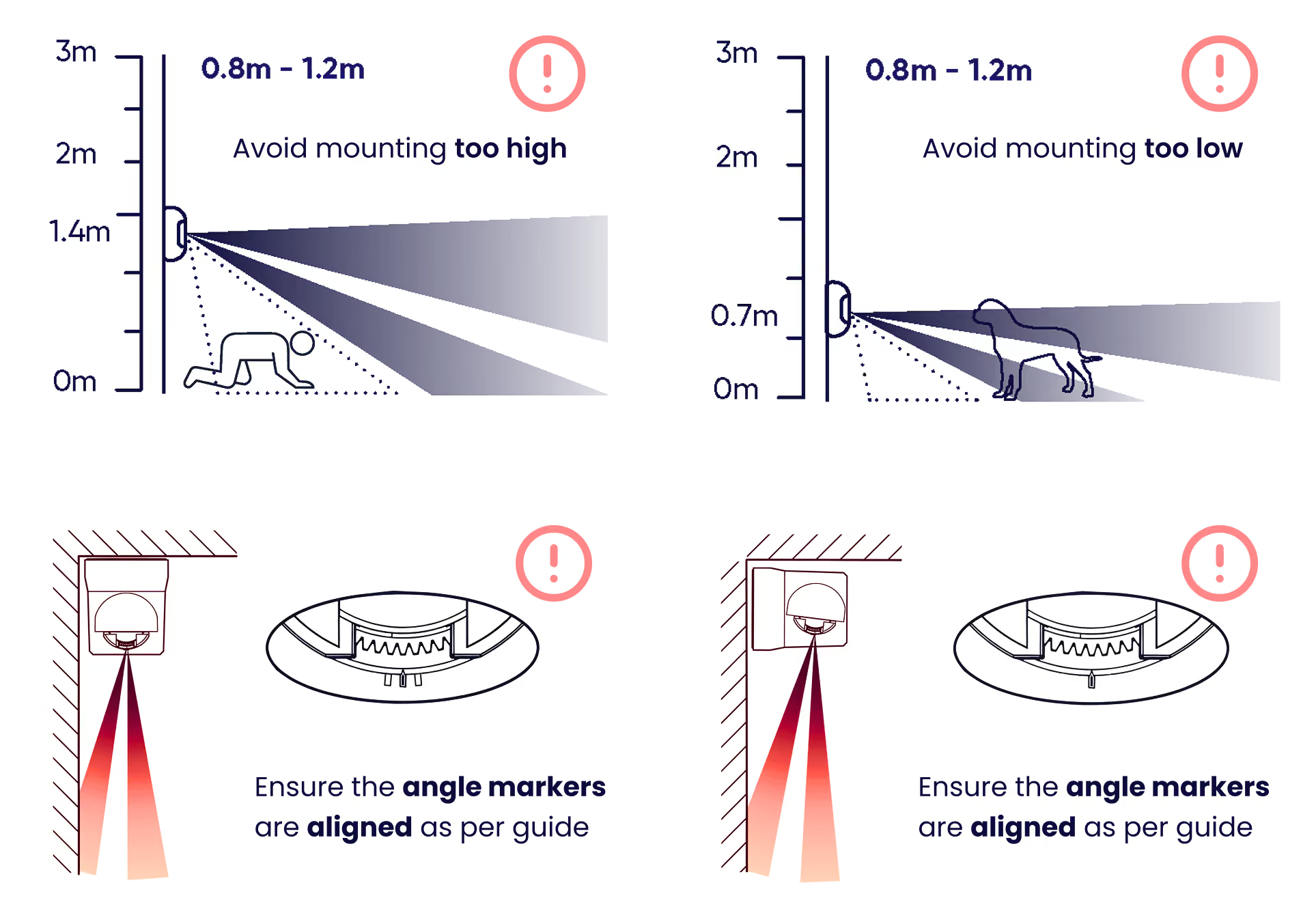
Avoid mounting near heat sources, vegetation, water reflections, moving objects, unstable surfaces, large wall objects, direct sunlight, or easy-to-reach areas.

Tips

Mounting mistakes to avoid

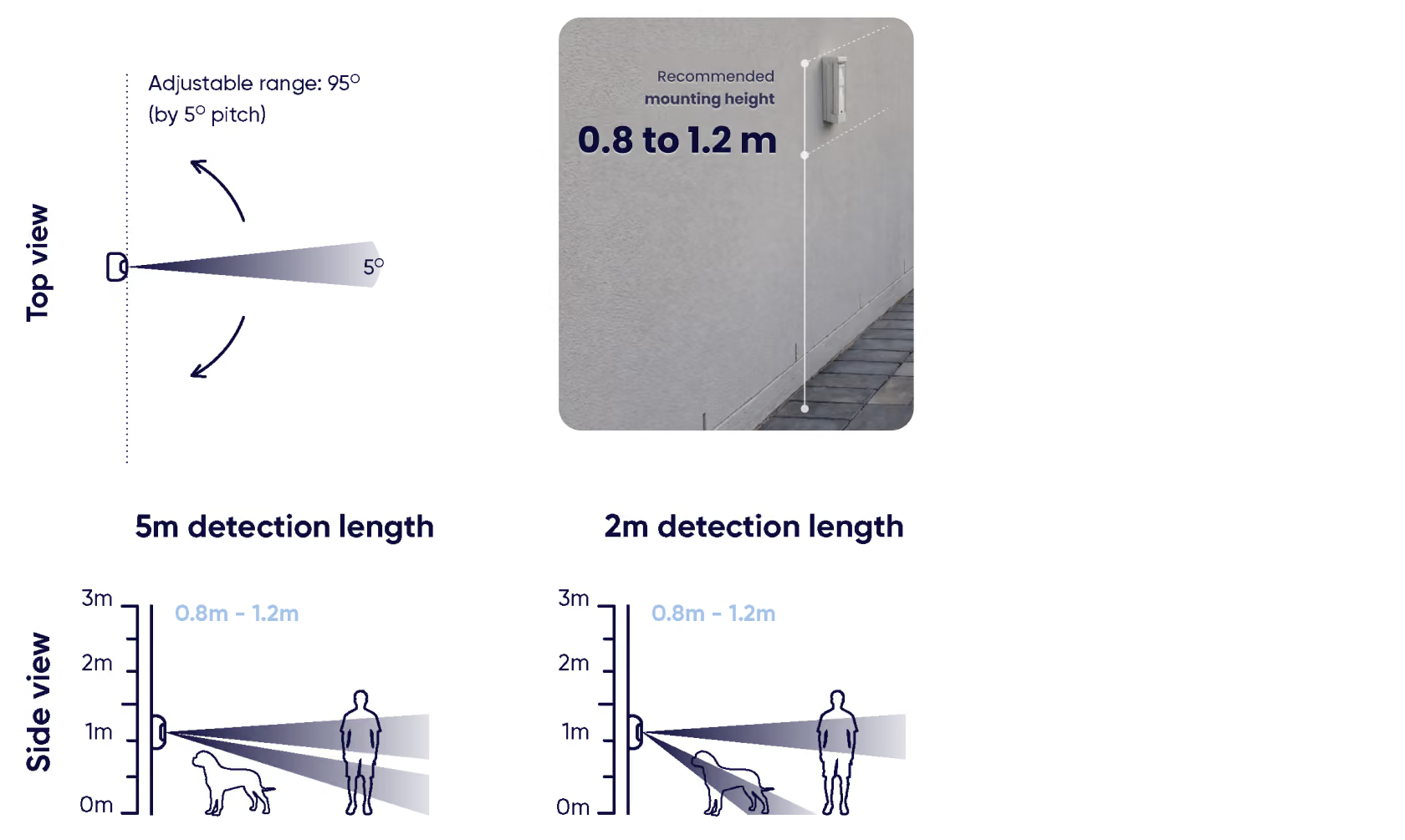
Mount between 0.8m and 1.2m from the ground.
Troubleshooting

LED status indicators

Reference the LED patterns to understand your device status:
Step 7

Run a detection test

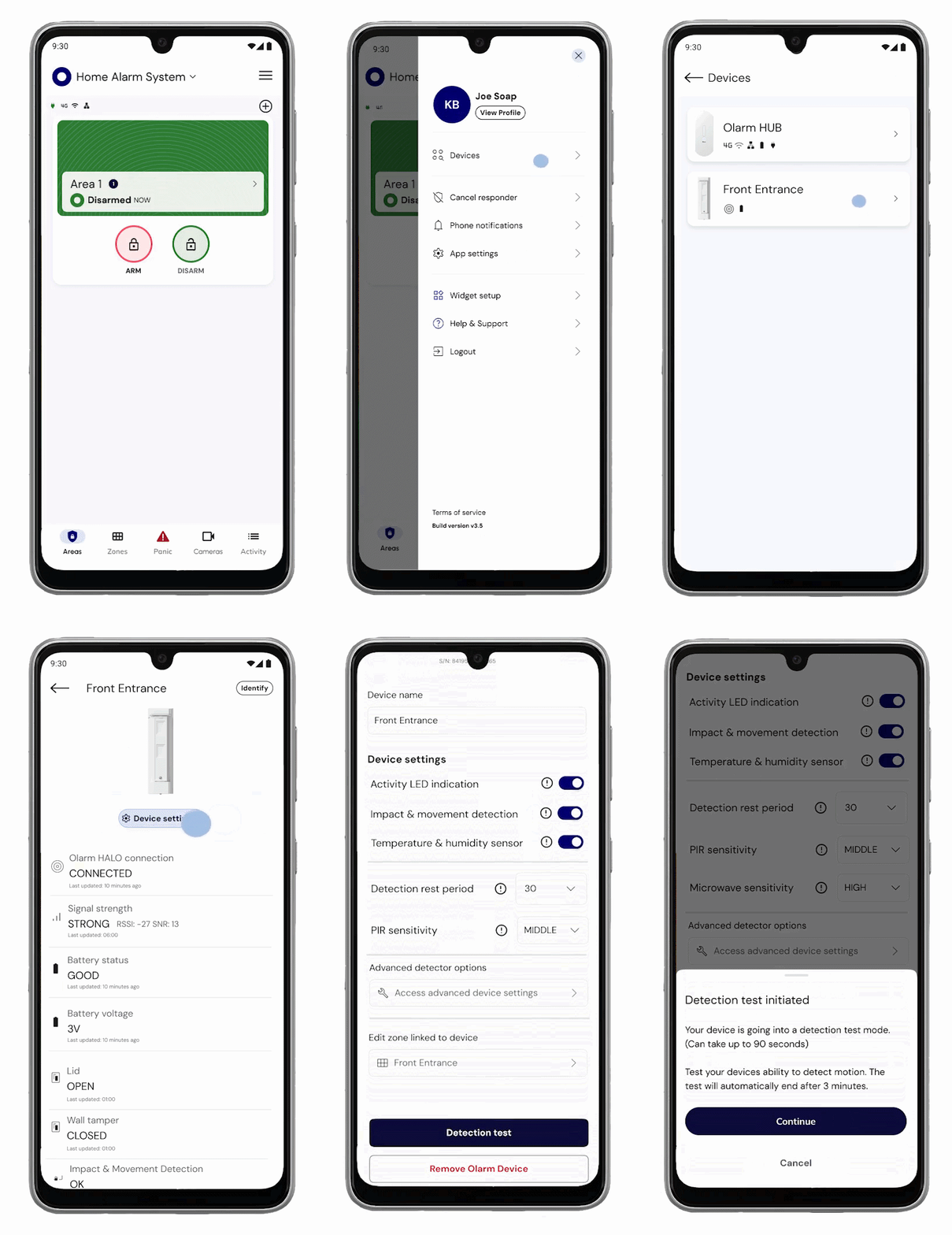
Open device settings in the Olarm APP and select detection test

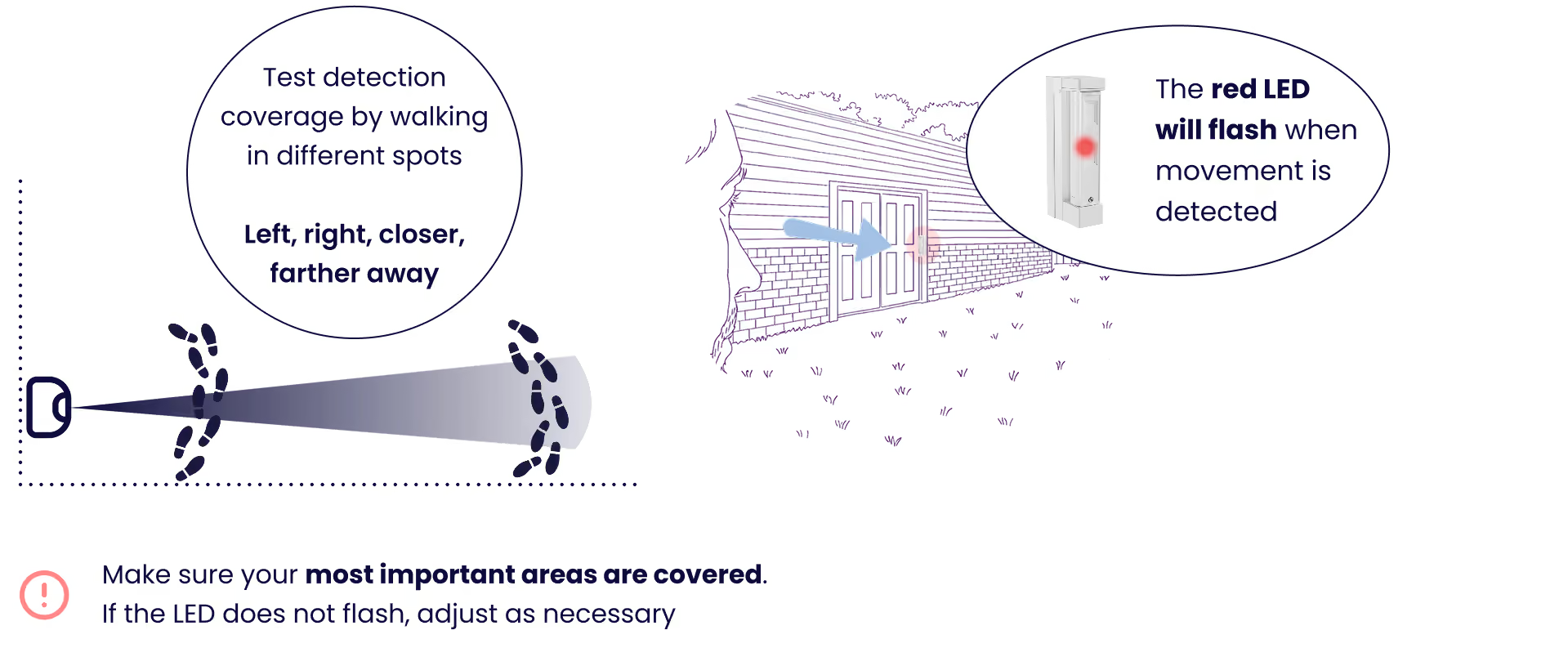
Walk through the detection area—left, right, closer, and farther away. The red LED will flash when movement is detected.

Ensure your most important areas are covered; if not, adjust positioning.
Troubleshooting

Why is the Olarm CONNECT not flashing when I insert the batteries?

Make sure you scan the QR code first in the Olarm app, then insert the batteries when prompted. Check the 2x CR123A batteries are inserted correctly (polarity + seated firmly). If still not working, power-cycle by removing batteries, waiting 10 seconds, then reinserting.

Why did the Olarm FitX pair, but it's showing offline?

Check HALO signal strength at the mounting location before finalising the installation. Try moving the unit slightly (even 30–50cm) and re-check signal—metal and tight spaces can affect it. Replace both CR123A batteries with fresh ones (don't mix old/new).

Why is the Olarm FitX not detecting anything during walk test?

The Olarm FitX is a 5° curtain—you must walk through the curtain, not around it. Walk across the curtain line (side-to-side), not directly toward the detector. Check the detector is aimed at the actual path—a few degrees off can miss completely.

Why is the Olarm FitX only detecting when I'm right in front of it?

Your range may be set to 2m—flip the lower lens to the 5m setting. Make sure the detector is mounted parallel to the surface/path you're protecting.

Why is the Olarm FitX detecting too far / picking up outside the area I want?

Your range may be set to 5m—flip the lower lens to 2m for tight spaces.

Why is there a dead strip close to the wall where I need detection most?

If the Olarm FitX is installed facing forward near a side wall, you must use the engraved guide marks—default alignment can block the near-wall curtain. Align the centre line on the angle fixture correctly for your wall side, then re-test.

Why is the Olarm FitX missing people walking tight along the wall in a passage?

Re-check forward-facing alignment using guide marks: wall on the right → align the centre line to the left guide mark; wall on the left → align the centre line to the right guide mark. Re-run walk test after tiny angle changes—millimetres matter.

Why is the Olarm FitX missing detection when I mount it in a corner and swivel it 90°?

Don't just swivel to the extreme stop and lock it. Use the corner engraved guide marks and align the centre line so the curtain isn't firing into the wall. Walk test again after adjustment.

Why is the Olarm FitX detecting "sometimes" depending on the direction the person walks?

The Olarm FitX uses AND logic (upper + lower PIR must validate). If someone only clips the edge, it may not trigger. Re-aim so the person fully crosses the curtain rather than grazing it.

Why is the Olarm FitX triggering too often / nuisance alarming?

Confirm the range is correct (use 2m for tight porches/balconies). Reduce PIR sensitivity in the app after alignment is correct. Remove moving objects from the curtain line (plants, hanging décor, loose shade cloth).

Why does the Olarm FitX false alarm when it's windy?

Ensure no foliage or loose items are crossing the curtain. Mount the Olarm FitX on a solid surface (no vibration) and ensure screws are tight. Re-aim so the curtain doesn't clip anything that moves (gates, ropes, banners).

Why does the Olarm FitX trigger when the gate opens/closes?

Don't aim the curtain through the gate movement path. Reposition to protect the approach line, and consider switching to 2m range.

Why is the Olarm FitX triggering on pets / ground activity?

The Olarm FitX performs best at 0.8–1.2m—avoid mounting too low in pet areas. Tighten the range to 2m and lower sensitivity slightly once alignment is correct. Keep the curtain off pet routes where possible.

Why is the Olarm FitX eating batteries faster than expected?

Frequent triggers in tight zones drain batteries—fix overshoot, reduce nuisance triggers, correct range/aim. Use the battery-saving timer/delay between triggers in the app (site-appropriate). Check HALO signal strength—poor signal can increase device activity.

Still need help ?

Contact Support

On this page