
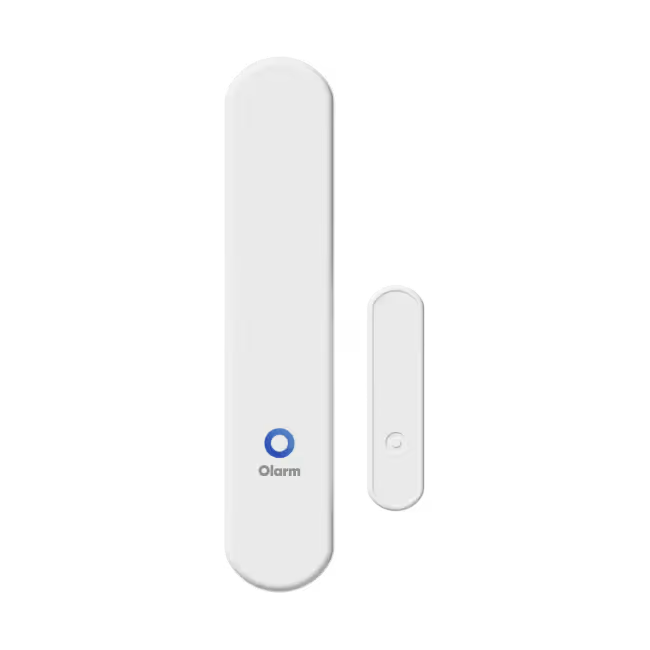
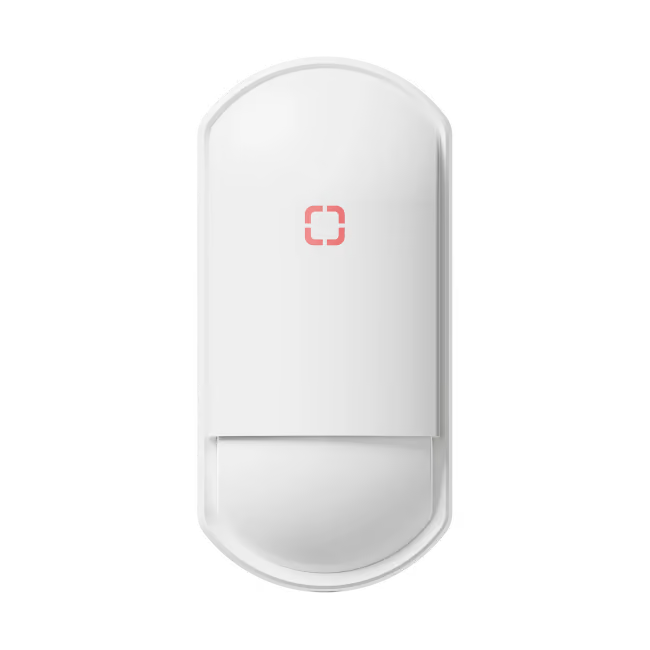
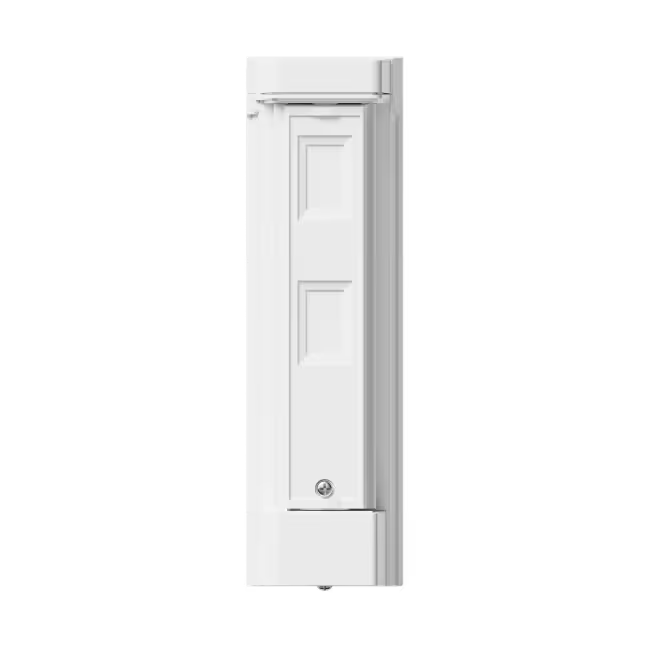
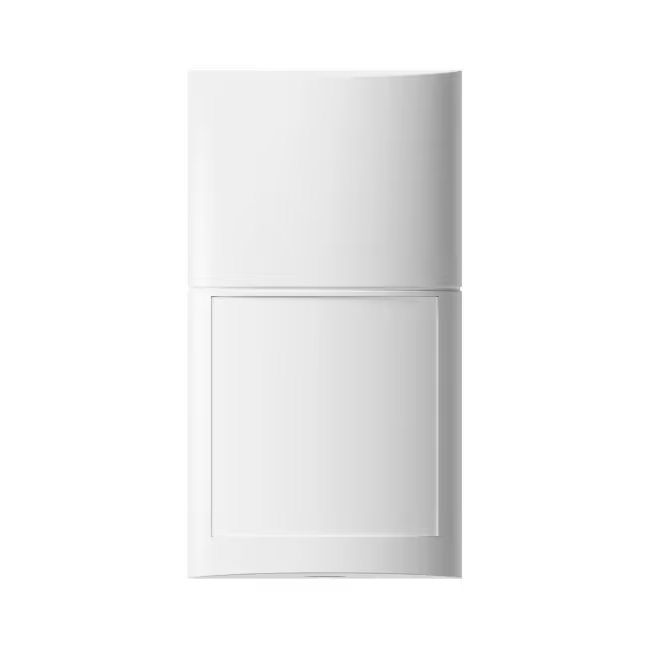
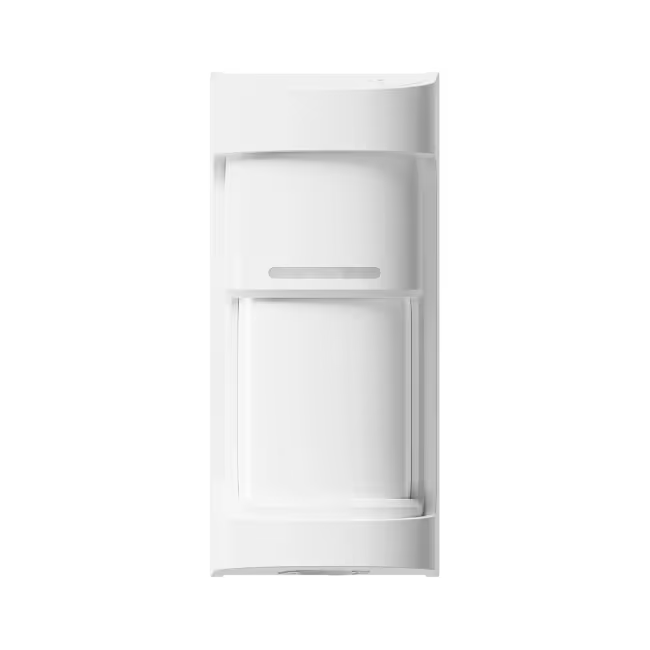
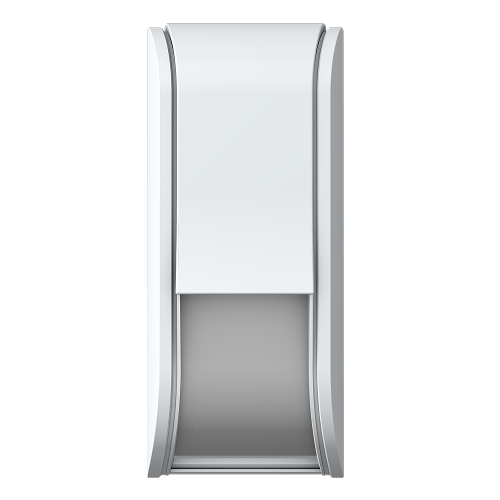
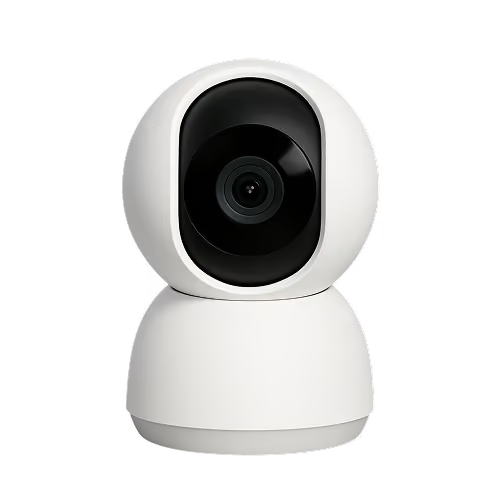


Olarm 180X

Powered by the Optex WXI-R

View Datasheet
View Optex Guide

Step 1

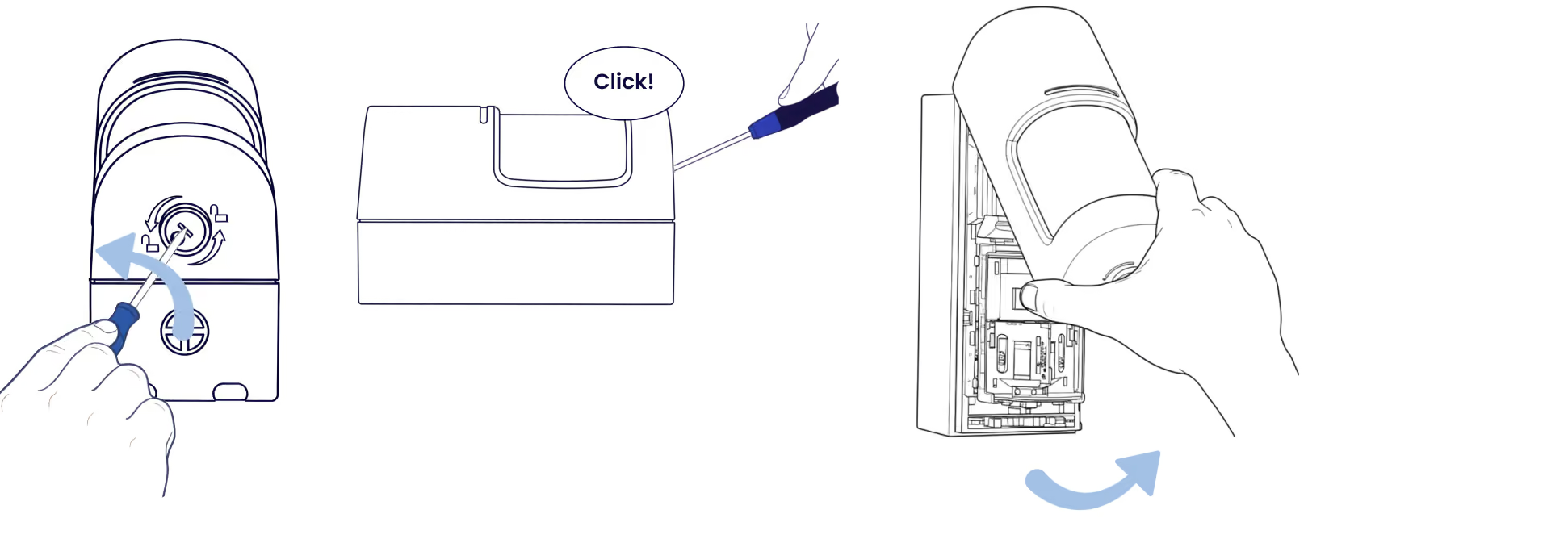
Remove the front lid

Insert a flathead screwdriver into the slot and twist to release the lid.
Step 2

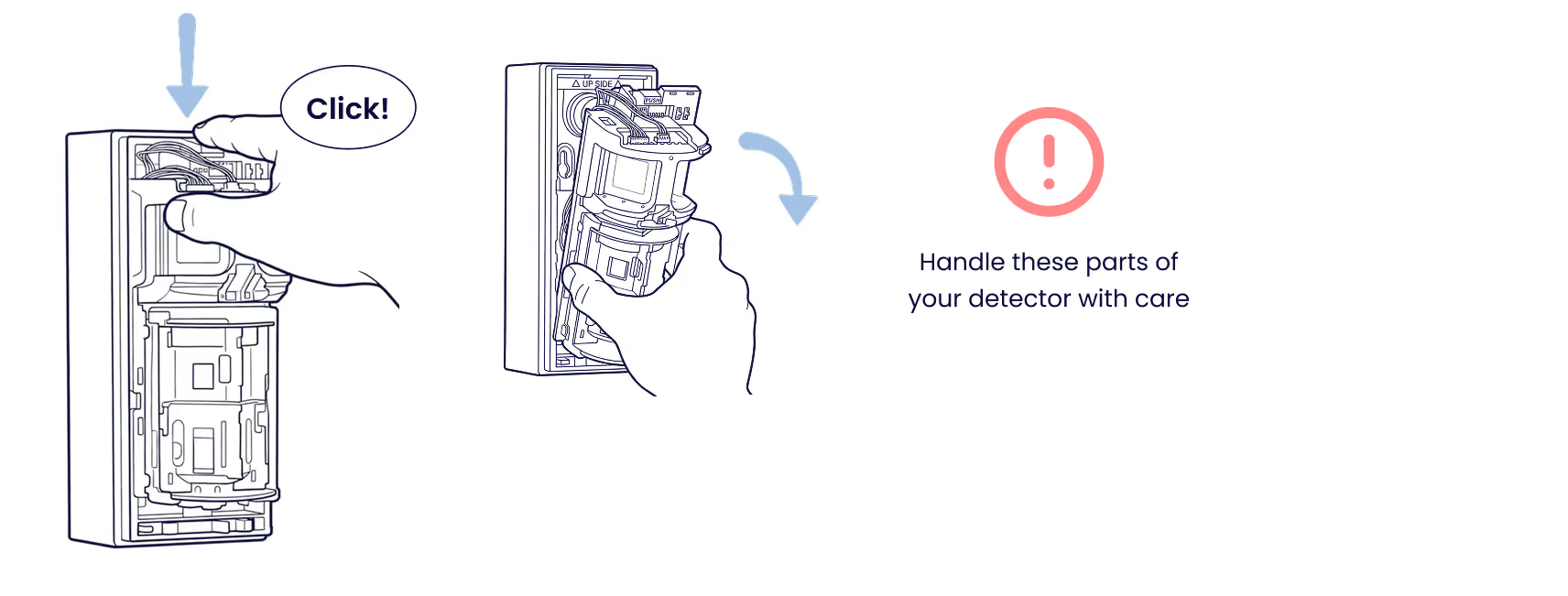
Remove the detection unit

Press the release clip and slide out the detection unit. Handle with care.
Step 3

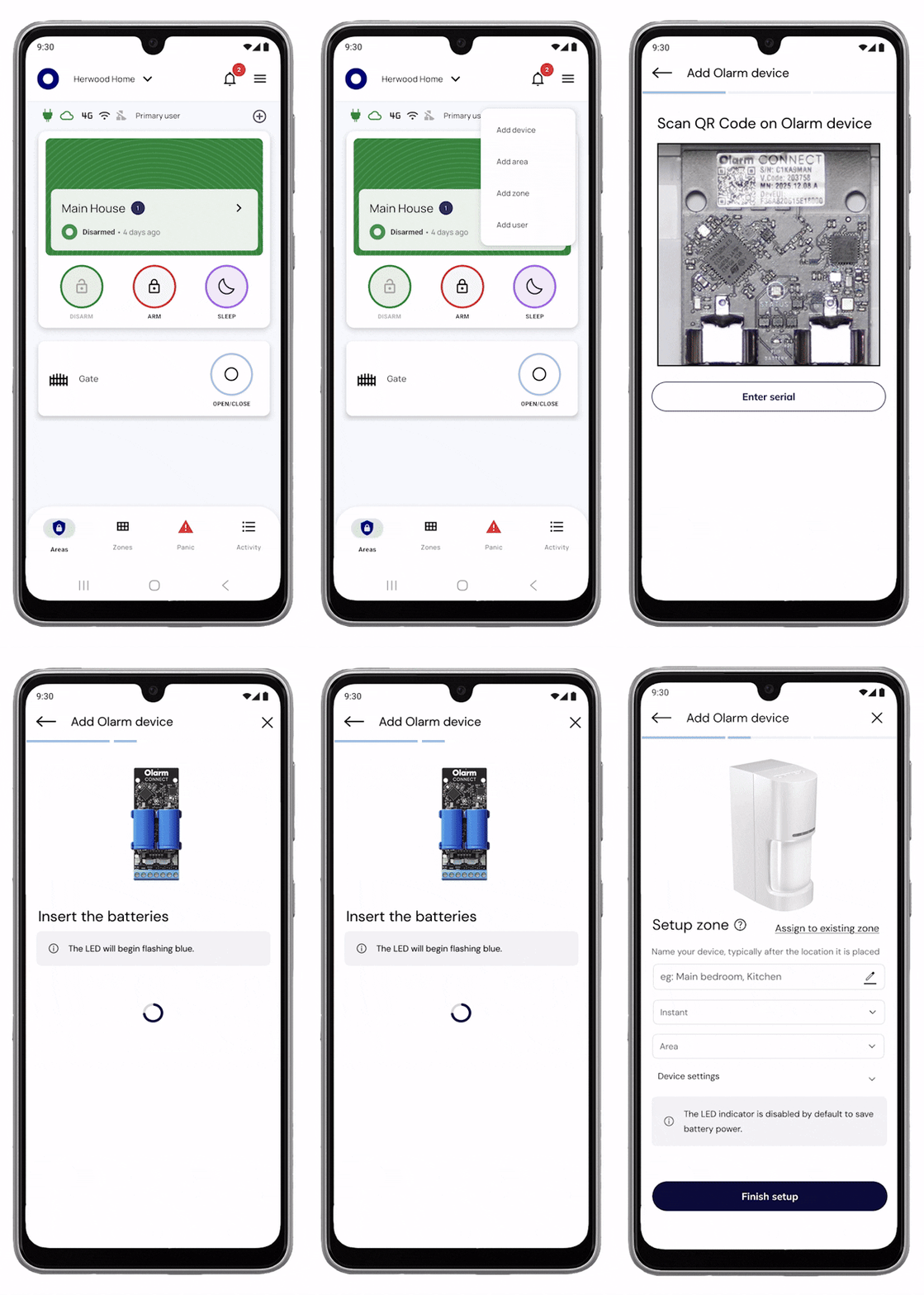
Add your device & configure zone

Scan the QR code on the Olarm CONNECT to add the device, then configure your zone and detector settings.
Step 4

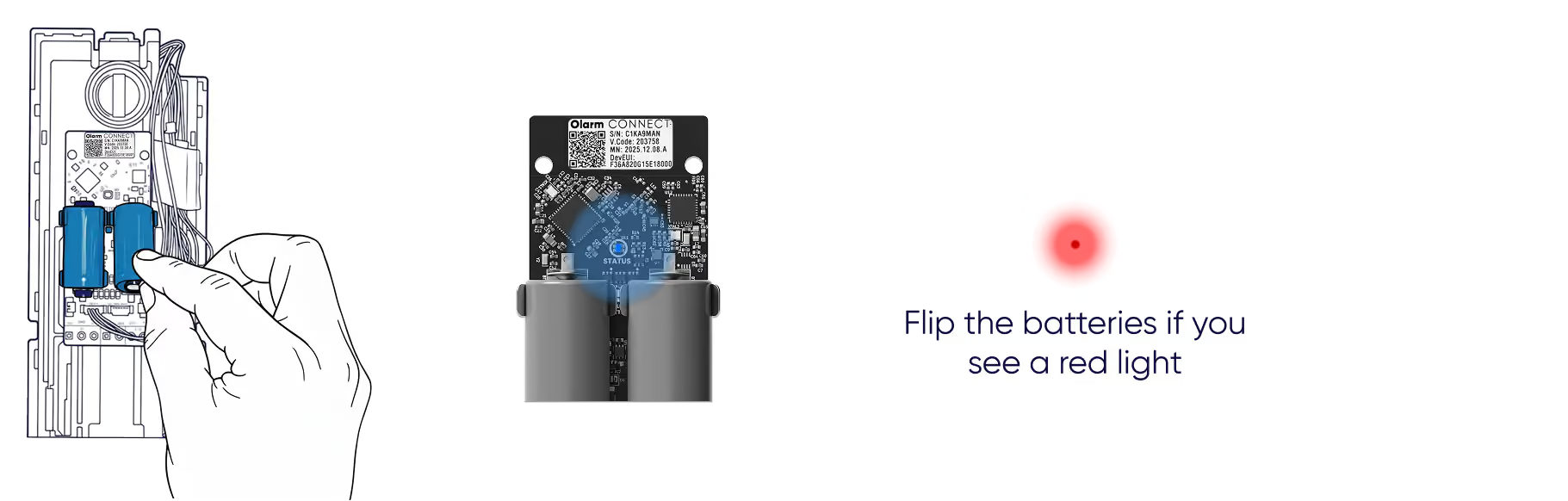
Insert the batteries

Place the batteries into the Olarm CONNECT. The status LED will flash blue when powered on correctly. Flip the batteries if you see a red light.
Step 5 (Option A)

Mount the Olarm 180X directly to the surface

Step 5.1a

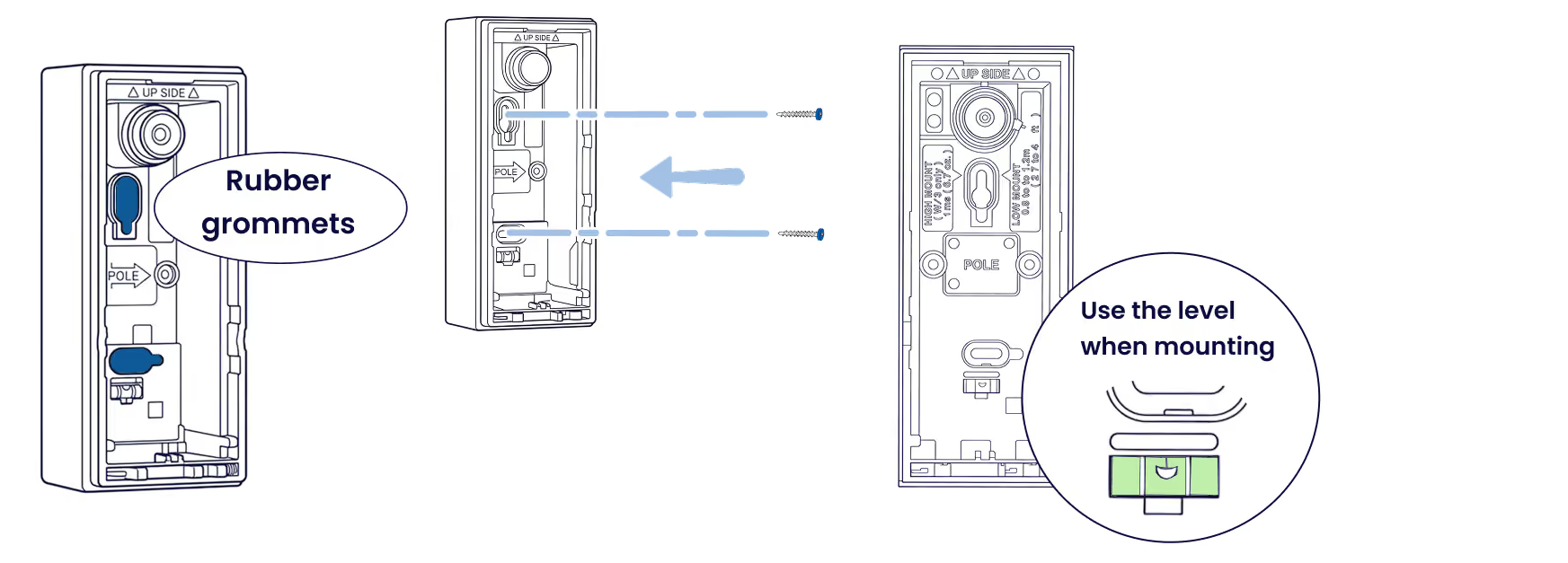
Secure the backbox

Remove the rubber grommets, then fasten with suitable screws. Use the built-in level to ensure detector is parallel to the ground.
Step 5.2a

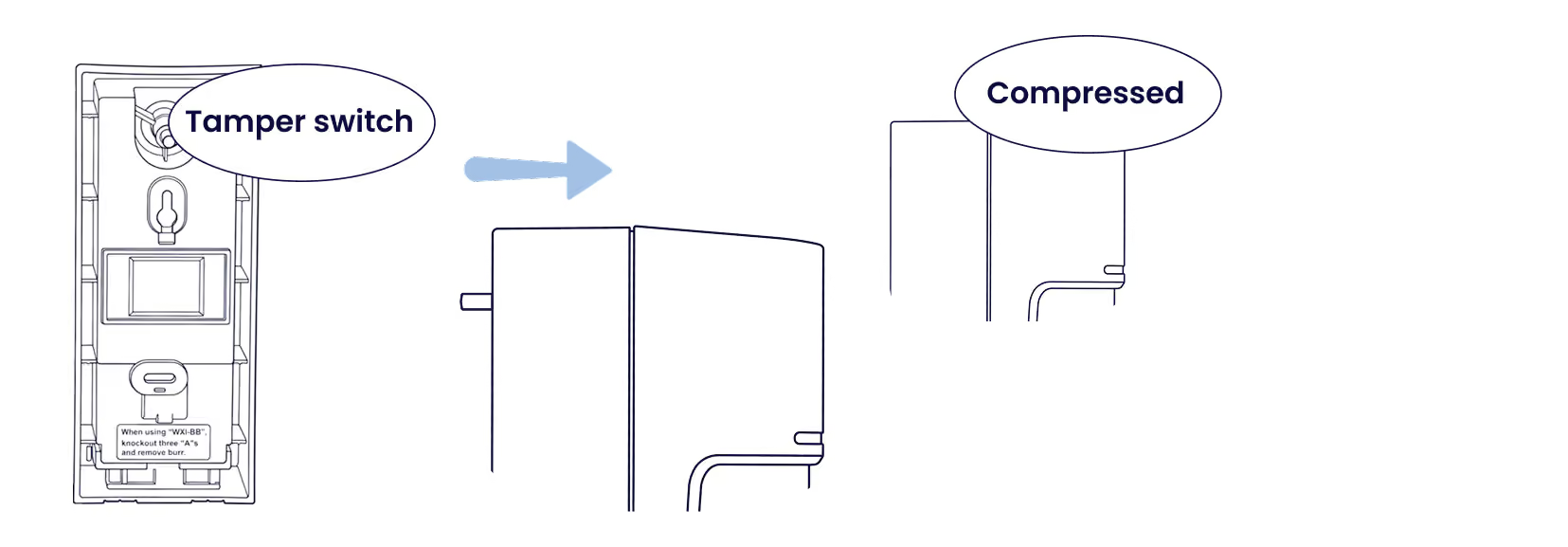
Fasten the backbox tightly

Ensure the tamper switch is compressed against the mounting surface.
Step 5 (Option B)

Mount the Olarm 180X to a pole

Use the pole mount option when wall mounting isn't available.

Step 5.1b

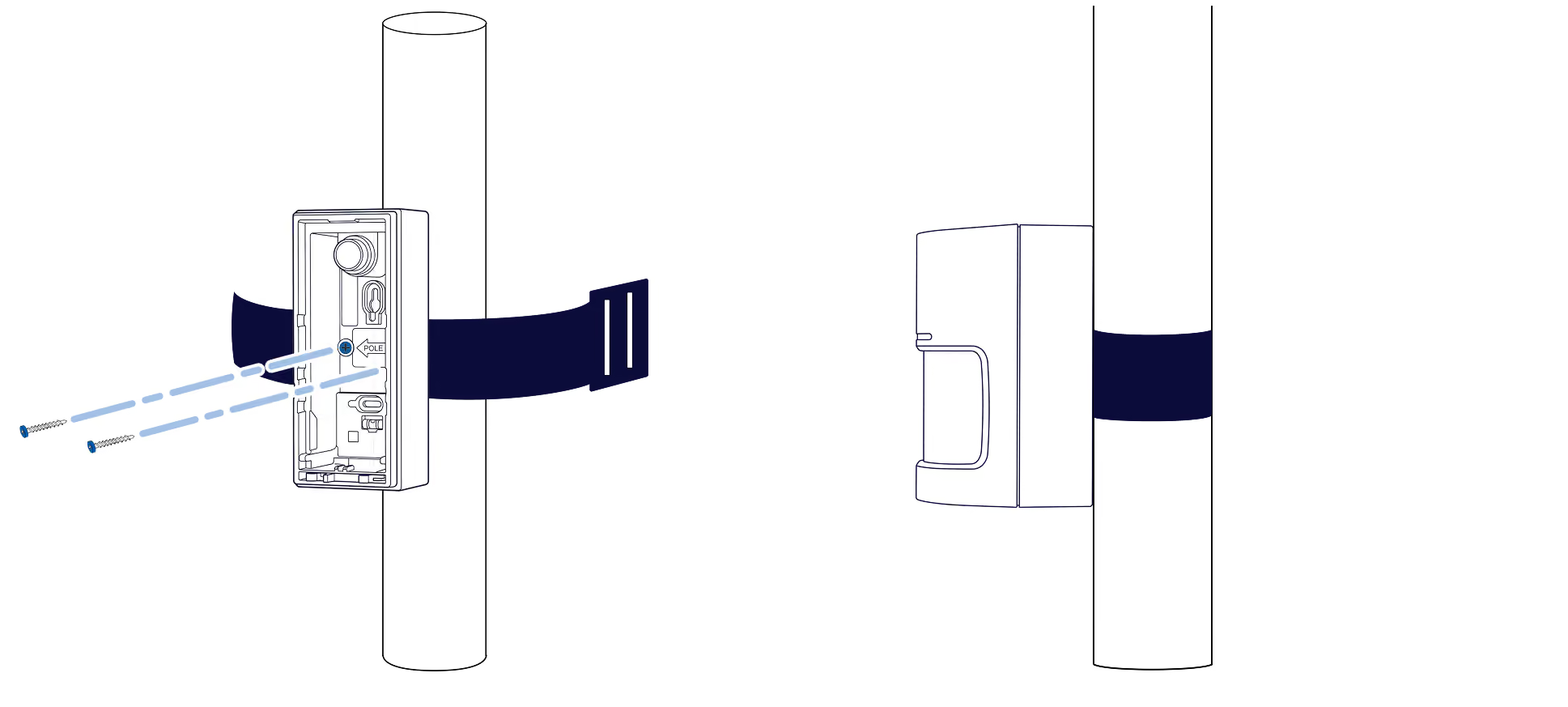
Secure with metal strips

Feed the metal strips through the pole mount slots and tighten to secure.
Step 7

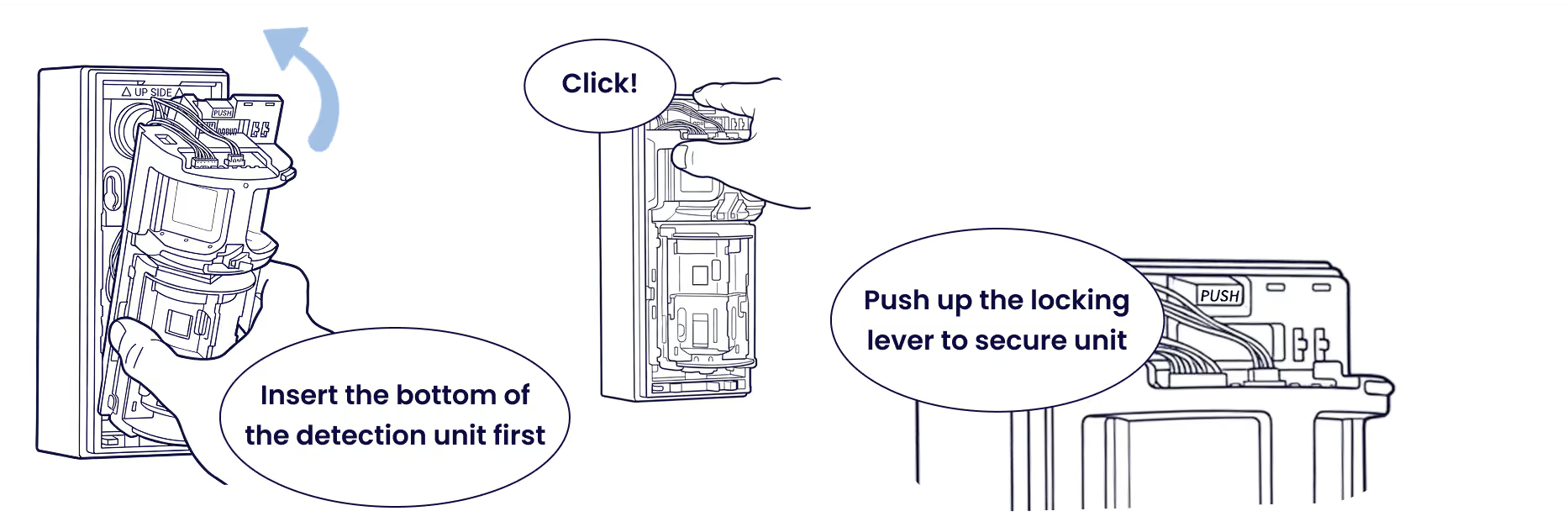
Re-insert the detection unit

Insert the bottom first, click into place, then push up the locking lever to secure.
Step 8

Installing the Olarm 180X

The Olarm 180X has dual zone coverage, both left and right given its 180° degree detection field of view. Each zone has an adjustable range of up to 12m (Left 12m, Right 12m).

Step 8.1

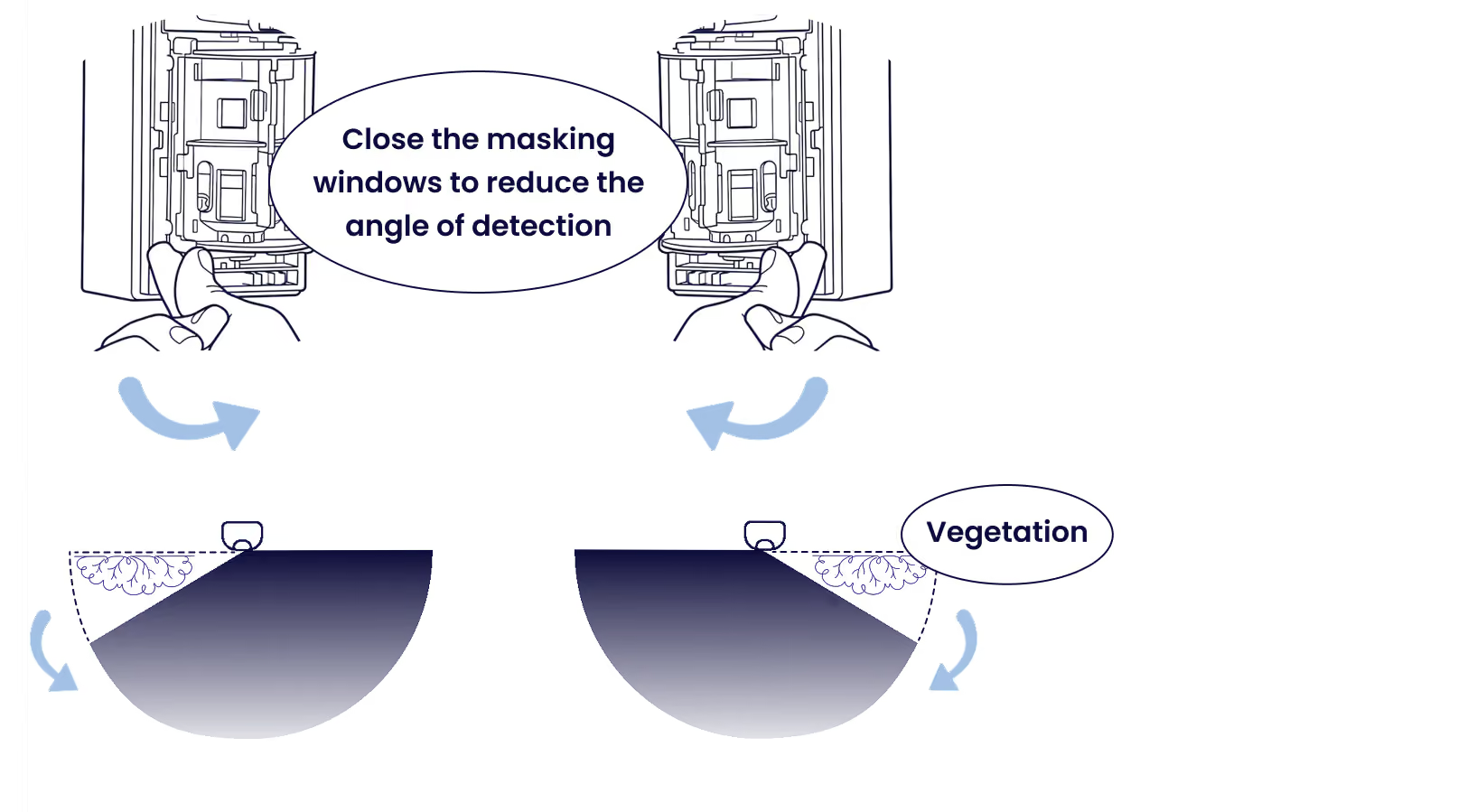
Adjust the masking shutters

Close the masking windows to reduce the detection angle and avoid vegetation or other obstructions.
Step 8.2

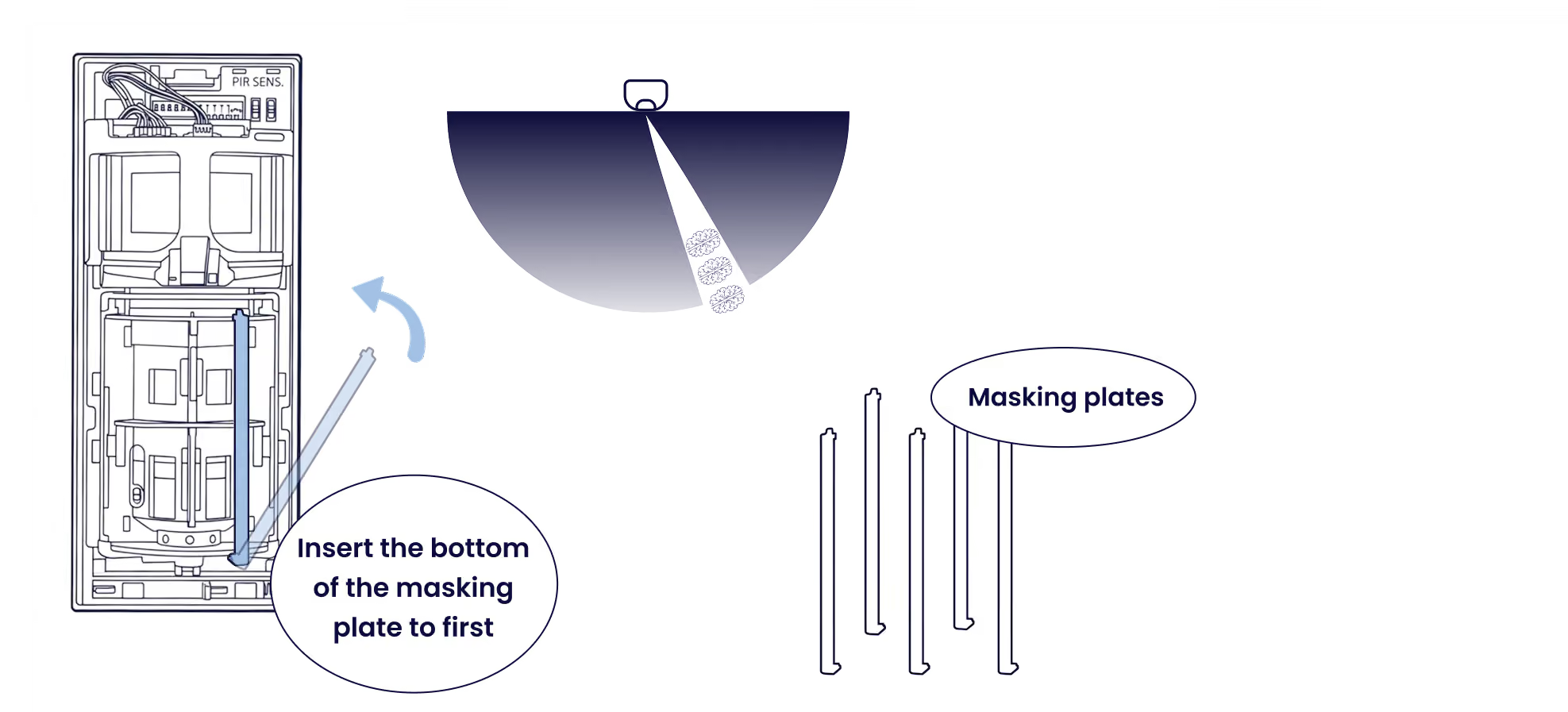
Insert masking plates

Add masking plates to block specific zones in the field of view of the detector. Insert the bottom of the masking plate first. *Sold separately.
Step 8.3

Adjust the detection distance

Lift or drop the clips to set your desired detection range.

Step 8.4

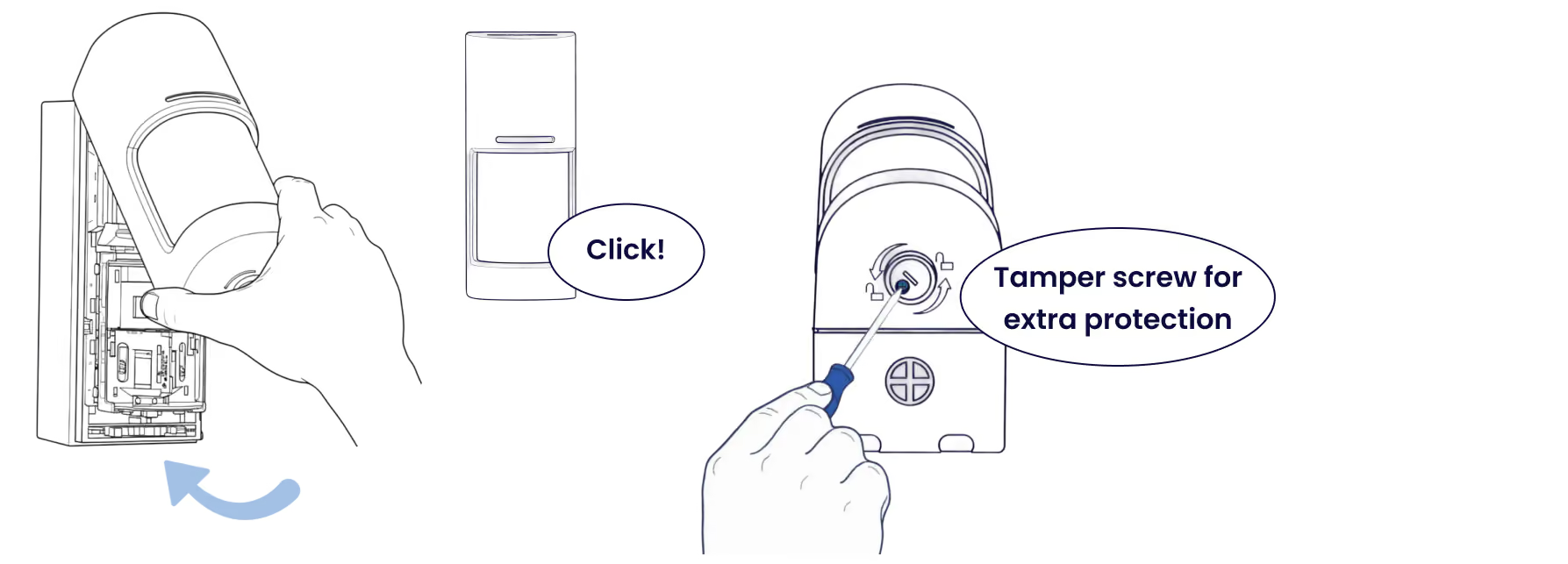
Close the front lid

Press until it clicks into place. Use the tamper screw for extra protection.
Tips

Reduce nuisance alarms

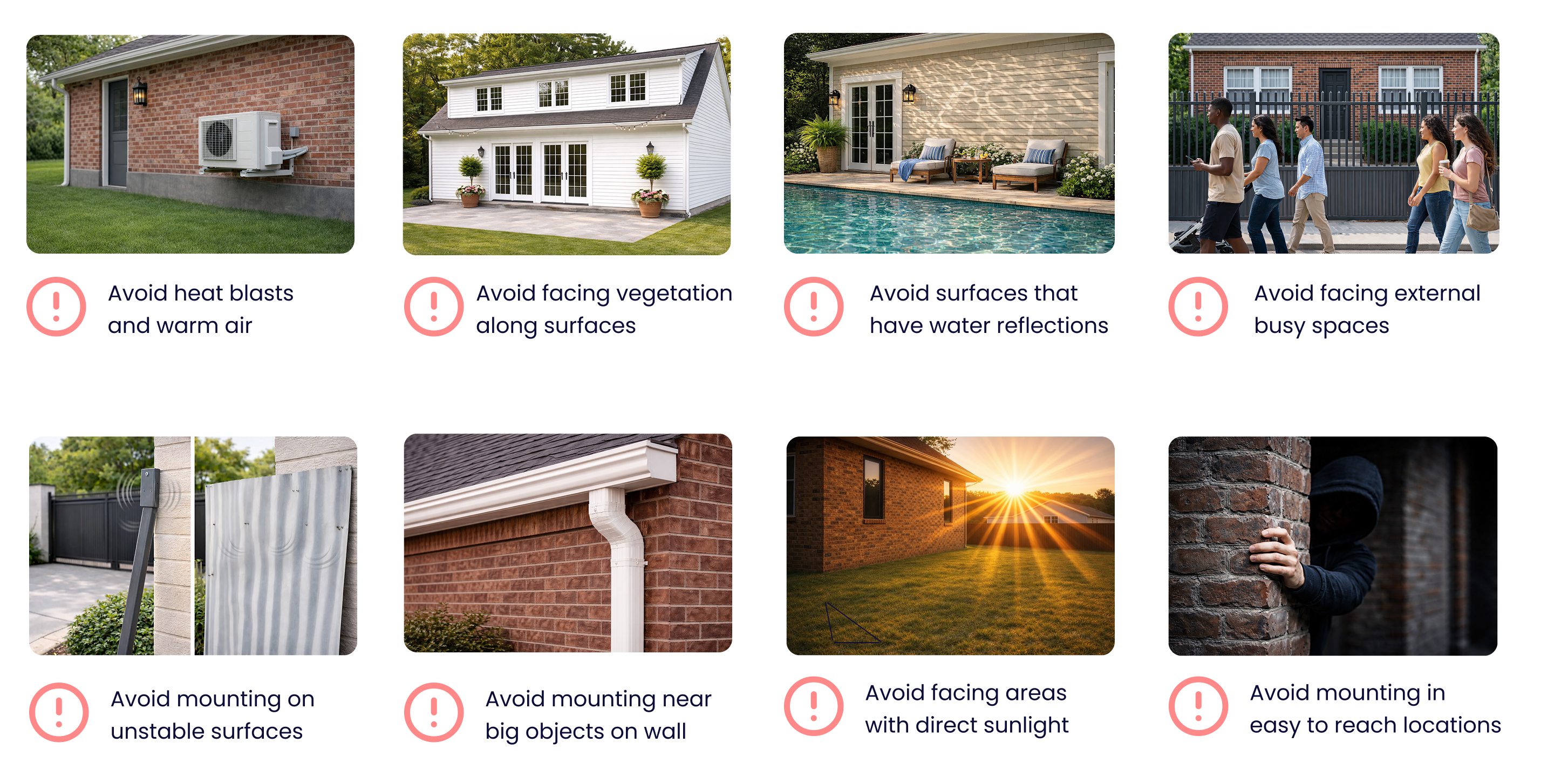
Avoid these common installation mistakes that can trigger false alarms.
Tips

Mounting mistakes to avoid

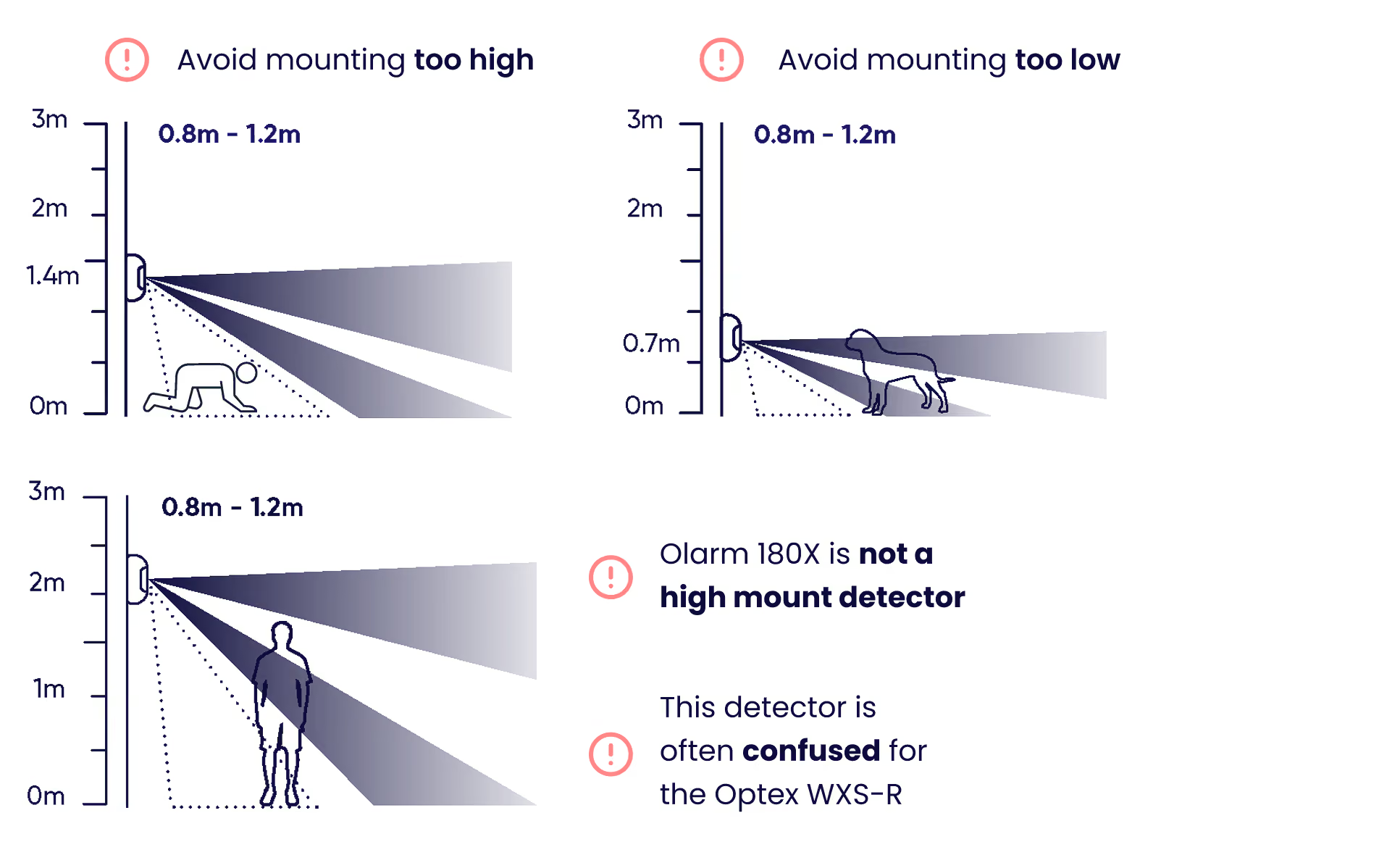
Mount between 0.8m–1.2m. The Olarm 180X is not a high mount detector — don't confuse it with the Optex WXS-R.
Troubleshooting

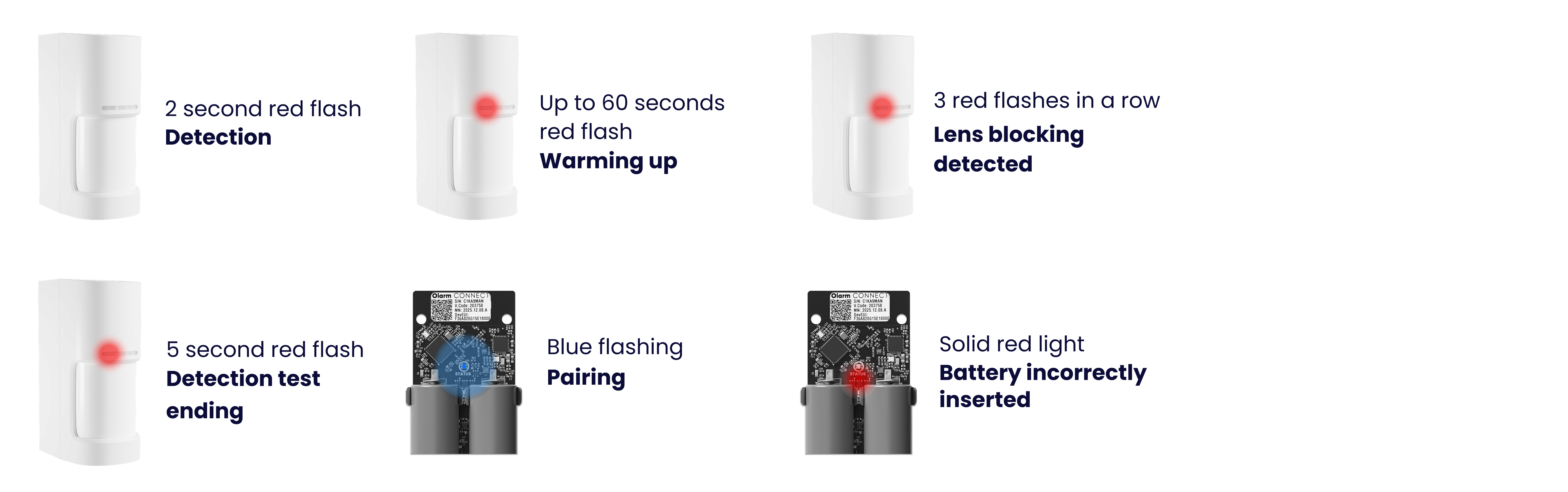
LED states

Understand what each LED pattern means on your Olarm 180XS and Olarm CONNECT.
Step 9

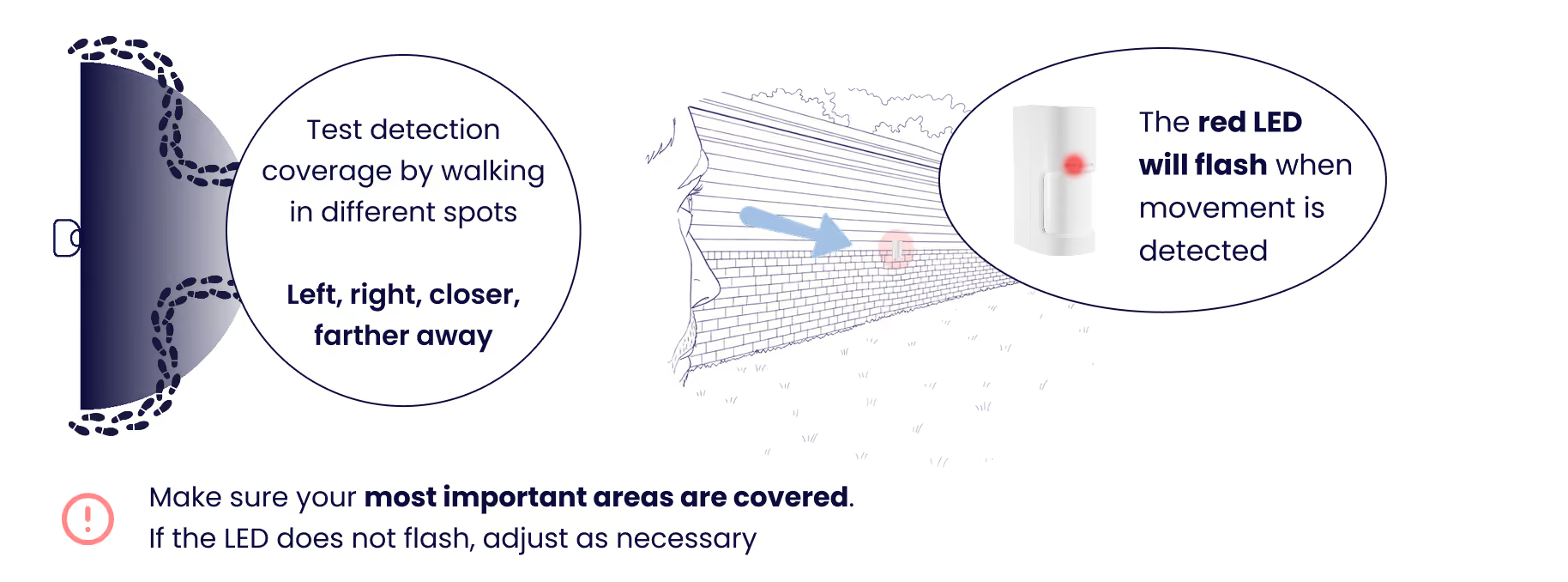
Test your detector

Enable Detection Test mode in-app or by opening and closing the cover, then walk through the area to verify coverage. The red LED will flash when movement is detected.

Troubleshooting

Why is the 180X not turning on?
  • Power-cycle: remove batteries, wait 10 seconds, reinsert.
  • Confirm the batteries are inserted correctly (the right way around).
  • Replace with fresh batteries (don't mix old/new).
Why is the 180X not pairing?
  • Make sure you're in the correct Olarm HUB in the app.
  • Move the detector closer during pairing (a few meters).
  • Power-cycle and try pairing again.
Why is the 180X not showing in the app?
  • Make sure you're in the correct Olarm HUB in the app.
  • Power-cycle and try pairing again.
Why is the 180X paired but showing "disconnected"?
  • Check battery level and replace if unsure.
  • Reduce distance/obstructions to the Olarm HUB (thick walls, windows, metal gates reduce range).
  • Try relocating the detector slightly (even 30–50cm can improve signal).
Why is the detector not detecting me when I walk past it?
  • Walk across the detector's field of view (side-to-side), not directly toward it.
  • Confirm it's mounted at the recommended height for the 180X.
  • Make sure nothing is blocking the lens area where you are expecting detection.
  • Confirm the detector is mounted slightly lower if facing a downward slope.
  • Confirm the detector is mounted slightly higher if facing an upward slope.
Why is the 180X detecting me close, but not further away?
  • Confirm it's mounted at the recommended height for the Olarm 180X.
  • Confirm you're within the detector's rated range.
  • Confirm you have adjusted the detector's range to the distance you are testing.
  • Remove obstructions (pillars, downpipes, posts, plants) that block parts of the wide view.
Why is the 180X detecting me far away, but not close to it?
  • Check mounting height (too high often creates a "dead zone" close-in).
  • Re-test by walking across close to the unit.
Why am I getting false alarms at night?
  • Check for vehicle headlights shining into the monitored area.
  • Check for insects/spider webs near the lens (especially near bright lights).
Why is the 180X detecting outside my boundary, into the street or neighbour areas?
  • The 180X has a very wide view - re-aim so coverage stays inside the property line.
  • Avoid mounting where the wide field can "see" through a gate into public walkways/roads.
  • Consider shifting the mounting point so the boundary wall blocks the outer edge of the view.
  • Confirm you have adjusted the detector's range to the distance required for your environment.
Why am I getting false alarms when it's windy?
  • Keep moving vegetation out of the detection area (a 180° detector "sees" a lot more foliage).
  • Don't mount on thin posts or sheet metal (vibration causes issues).
  • Make sure the detector is screwed down tight and stable.
Why does the 180X trigger when the gate/garage door moves?
  • Don't aim the coverage across a moving gate/garage door path.
  • Reposition to monitor the approach route, not the moving object.
Why does the 180X trigger randomly during the day?
  • Avoid direct sun glare (especially sunrise/sunset).
  • Check for moving shadows (trees/flags) inside the wide detection area.
  • Re-check the mounting surface for vibration or movement.
Why is the detector "too sensitive" in this spot?
  • Adjust the sensitivity in the Olarm APP to suit your environment.
  • Move it away from reflective surfaces and heat sources (aircon exhaust, vents).
  • Choose a location where intruders cross the field of view, not a busy area.
Why is it triggering on pets?
  • Re-check mounting height and aim to keep the lower close-in area off pet routes.
  • Avoid aiming across lawns/pet areas if the site has animals moving at night.
Why is the tamper triggering after installation?
  • Ensure the cover is fully seated and clipped closed.
  • Make sure the mounting surface is flat (gaps can prevent proper closure).
  • Tighten mounting screws - movement can cause intermittent tamper.

Still need help ?

Contact Support

On this page